For creators navigating the dynamic world of YouTube, mastering time management is not just a skill, it’s the bedrock of sustainable success. This guide delves into the multifaceted demands of being a YouTuber, from the initial spark of an idea to the final moments of audience interaction.
We will explore the essential strategies and practical techniques that transform the often chaotic schedule of content creation into a streamlined, productive, and ultimately rewarding journey. Understanding the intricacies of video production, efficient planning, and effective engagement is key to unlocking your channel’s full potential.
Understanding the Demands of a YouTuber’s Schedule
For aspiring and established content creators alike, a robust understanding of the time commitments involved in being a YouTuber is paramount to effective management. The journey from a simple idea to a published, promoted video is a multi-faceted process that demands significant dedication and strategic planning. Recognizing these demands is the foundational step in building a sustainable and productive YouTube career.The life of a YouTuber is far from a typical 9-to-5 job; it’s a dynamic and often demanding endeavor that requires juggling numerous responsibilities.
This encompasses not only the creative aspects of content production but also the technical, marketing, and community-building elements essential for growth and sustainability on the platform.
Typical Daily and Weekly Commitments
A YouTuber’s schedule is a blend of consistent tasks and project-based work, often spanning all days of the week. The exact allocation of time can vary greatly depending on the creator’s niche, upload frequency, team size, and personal workflow preferences.The core activities generally include:
- Content Ideation and Research: Brainstorming new video concepts, researching trending topics, analyzing competitor content, and identifying audience interests. This can be an ongoing process, often requiring dedicated blocks of time for deep dives.
- Scripting and Planning: Outlining video structures, writing detailed scripts, and planning visual elements such as shot lists or B-roll requirements.
- Filming: Setting up equipment, recording video footage, and ensuring optimal lighting and audio quality. This phase can be intensive, especially for videos requiring multiple takes or complex setups.
- Editing: Assembling raw footage, cutting and splicing clips, adding music, sound effects, graphics, and color grading. This is often one of the most time-consuming aspects of production.
- Thumbnail Creation: Designing eye-catching and informative thumbnails that accurately represent the video content and entice viewers to click.
- Uploading and Optimization: Publishing the video to YouTube, writing compelling titles and descriptions, adding relevant tags, and configuring end screens and cards.
- Promotion: Sharing the video across social media platforms, engaging with other creators, and potentially running ad campaigns.
- Audience Engagement: Responding to comments, participating in community forums, and interacting with viewers on live streams or other social channels.
- Analytics Review: Monitoring video performance, understanding audience demographics, and identifying areas for improvement in future content.
Phases of Video Production
The creation of a single YouTube video involves distinct stages, each with its own set of tasks and time requirements. A thorough understanding of these phases allows for more accurate time estimation and resource allocation.The production pipeline typically consists of:
- Pre-Production: This foundational stage includes all planning and preparation before filming begins. It encompasses idea generation, market research, scriptwriting, storyboarding, and logistical arrangements. Effective pre-production can significantly streamline the subsequent stages.
- Production: This is the actual filming or recording of the video content. It requires careful attention to technical aspects like camera work, audio recording, and lighting.
- Post-Production: Once filming is complete, this phase involves editing the raw footage into a polished final product. It includes cutting, sequencing, adding visual and audio effects, color correction, and mastering.
- Publishing and Promotion: After the video is finalized, it is uploaded to YouTube and optimized for discoverability. This stage also involves actively promoting the video across various platforms to reach a wider audience.
Common Time Management Challenges by Career Stage
The time management hurdles faced by YouTubers evolve as their channels grow and their audience expands. What might be a manageable workload for a beginner can become overwhelming for a creator with a large and active community.Challenges often encountered include:
- Beginner Creators: At this stage, creators are often learning the ropes of all aspects of production, from filming to editing. The primary challenge is balancing learning new skills with consistent content creation, often with limited resources and time outside of other commitments like school or work. They may struggle with underestimating the time required for each task.
- Growing Creators: As a channel gains traction, the demand for more frequent and higher-quality content increases. Creators may find themselves overwhelmed by the volume of work, struggling to scale their production process without sacrificing quality or personal well-being. This stage often sees creators considering outsourcing tasks or building a small team.
- Established Creators: With a substantial audience, the pressure to maintain engagement and deliver consistent value becomes immense. Established creators face the challenge of managing a larger team, dealing with more complex collaborations, handling brand deals, and staying ahead of trends, all while preventing burnout. The sheer volume of audience interaction can also become a significant time sink.
Impact of Audience Engagement and Community Management
The relationship between a creator and their audience is a vital component of YouTube success, but it also represents a significant and often underestimated time commitment. Actively engaging with viewers and managing a community is crucial for fostering loyalty and growth.The demands of audience engagement include:
- Comment Moderation and Response: Regularly reviewing and responding to comments on videos is essential for building a connection with viewers. This can range from simple acknowledgments to in-depth discussions, and the volume can be substantial for popular channels.
- Community Tab Interaction: Utilizing the community tab for polls, Q&As, and updates requires ongoing content creation and interaction to keep the audience engaged between video uploads.
- Social Media Management: Maintaining an active presence on other social media platforms to promote content and interact with the community adds another layer of time commitment.
- Live Streaming: Hosting live streams for real-time interaction with the audience is a popular engagement strategy but demands dedicated time for preparation, execution, and post-stream follow-up.
- Handling Feedback and Criticism: Constructively processing and responding to both positive and negative feedback requires emotional intelligence and time, especially when addressing sensitive issues or addressing misinformation.
The constant influx of messages, comments, and requests from an engaged community can easily consume a significant portion of a creator’s day, making it a critical area for time management.
Foundational Time Management Strategies for Creators
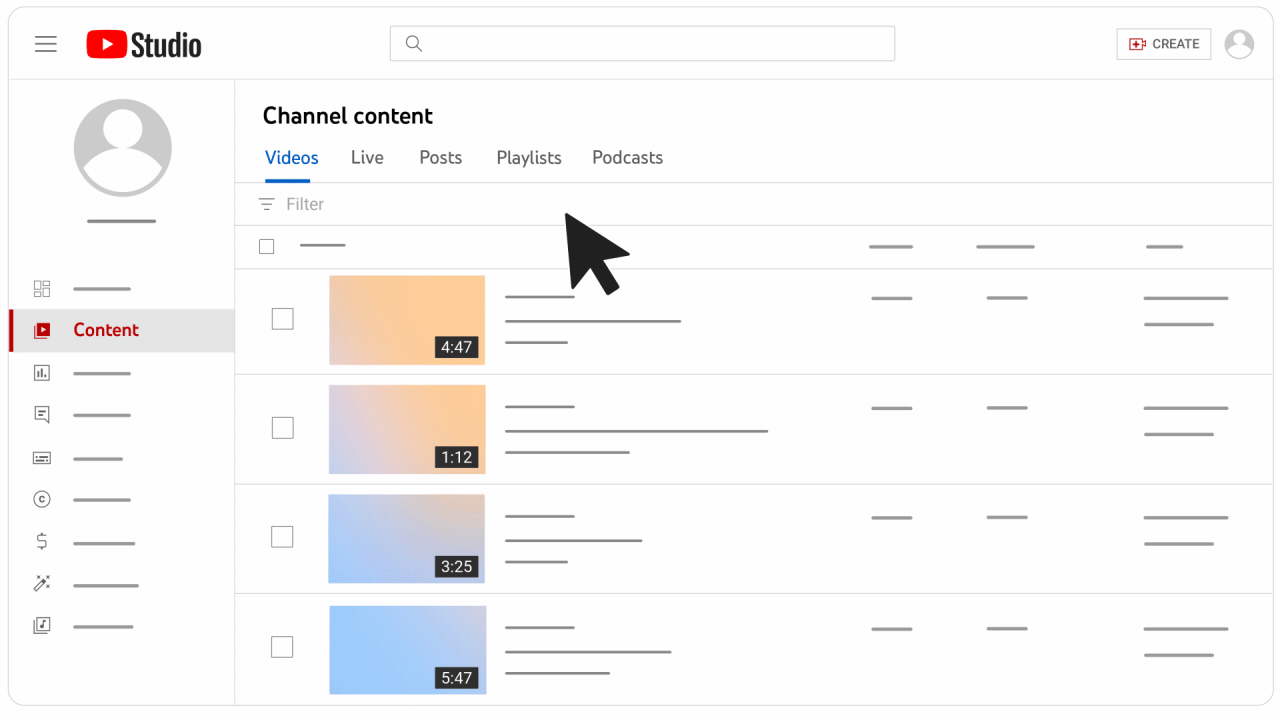
Successfully managing your time as a YouTuber is not merely about fitting tasks into a schedule; it’s about building a sustainable workflow that supports consistent content creation without leading to burnout. This section will explore the core principles that form the bedrock of effective time management for video creators.Understanding these foundational strategies will empower you to approach your YouTube journey with greater efficiency, predictability, and control over your valuable time.
These are the essential building blocks upon which a thriving YouTube career can be built.
Essential Time Management Principles for Video Creation
Effective time management for YouTubers relies on a set of core principles that guide the entire creation process, from ideation to publication. Adhering to these principles helps ensure that your efforts are focused, productive, and aligned with your content goals.Here are some essential time management principles applicable to video creation:
- Batching Similar Tasks: Grouping similar activities together, such as filming multiple videos in one session or dedicating a block of time solely to editing, significantly reduces context switching and improves efficiency.
- Time Blocking: Allocate specific, uninterrupted blocks of time in your schedule for particular tasks. This method ensures that critical activities receive the focused attention they require.
- The Pomodoro Technique: Work in focused intervals (e.g., 25 minutes) followed by short breaks (e.g., 5 minutes). This technique combats mental fatigue and maintains high levels of concentration.
- Eliminate Distractions: Identify and minimize potential interruptions during your dedicated work periods. This might involve turning off notifications, closing unnecessary tabs, or informing housemates of your work times.
- Regular Review and Adjustment: Periodically assess your schedule and workflow. Identify what is working well and what needs to be improved, making necessary adjustments to optimize your productivity.
Sample Weekly Schedule Template for a YouTuber
A well-structured weekly schedule is crucial for balancing the diverse demands of YouTube content creation. This template provides a framework that can be adapted to your specific content style, upload frequency, and personal productivity peaks.This sample schedule aims to provide dedicated, focused time for each critical stage of video production, promoting a consistent output and a less chaotic workflow.
| Time Slot | Monday | Tuesday | Wednesday | Thursday | Friday | Saturday | Sunday |
|---|---|---|---|---|---|---|---|
| 9:00 AM – 10:00 AM | Planning & Idea Generation | Scripting & Research | Planning & Idea Generation | Scripting & Research | Content Calendar Review | Personal Time/Relaxation | Personal Time/Relaxation |
| 10:00 AM – 12:00 PM | Filming Session 1 | Editing Session 1 | Filming Session 2 | Editing Session 2 | Thumbnail Creation & Optimization | Community Engagement | Rest & Recharge |
| 12:00 PM – 1:00 PM | Lunch Break | Lunch Break | Lunch Break | Lunch Break | Lunch Break | Lunch Break | Lunch Break |
| 1:00 PM – 3:00 PM | Editing Session 1 | Filming Session 1 | Editing Session 2 | Filming Session 2 | Video Upload & Scheduling | Admin & Business Tasks | Planning for Next Week |
| 3:00 PM – 4:00 PM | Thumbnail Creation | Community Engagement | Thumbnail Creation | Community Engagement | Social Media Promotion | Personal Time/Relaxation | Personal Time/Relaxation |
| 4:00 PM onwards | Flexible/Catch-up/Learning | Flexible/Catch-up/Learning | Flexible/Catch-up/Learning | Flexible/Catch-up/Learning | Flexible/Catch-up/Learning | Flexible/Catch-up/Learning | Flexible/Catch-up/Learning |
Benefits of Setting Clear Daily Goals and Prioritizing Tasks
Establishing clear daily goals and actively prioritizing tasks are fundamental to maintaining momentum and ensuring that your most important work gets done. Without this focus, days can easily become a series of reactive responses rather than proactive progress.Setting clear objectives provides a roadmap for your day, allowing you to measure progress and feel a sense of accomplishment. Prioritization ensures that your energy is directed towards activities that have the greatest impact on your YouTube channel’s growth and your overall content production.The benefits include:
- Increased Productivity: Knowing exactly what needs to be achieved each day prevents wasted time and keeps you focused on actionable items.
- Reduced Overwhelm: Breaking down large projects into smaller, manageable daily tasks makes them feel less daunting.
- Improved Decision-Making: Prioritization helps you decide what to work on when faced with multiple demands, ensuring that urgent and important tasks are addressed first.
- Enhanced Motivation: Checking off completed goals provides a tangible sense of progress, which is a powerful motivator.
- Better Resource Allocation: Understanding your priorities helps you allocate your time, energy, and other resources more effectively.
Using a Simple Task Management System for Tracking Video Projects
A task management system, even a basic one, is invaluable for keeping track of the various stages of your video projects. It serves as a central hub for all your to-dos, deadlines, and project statuses, preventing tasks from falling through the cracks.Implementing a simple system allows for clear visibility into your workflow, ensuring that each step of the video creation process is accounted for and managed efficiently.
This proactive approach minimizes last-minute rushes and contributes to a more polished final product.A straightforward system can be built using a spreadsheet or a dedicated project management app. For a simple spreadsheet approach, consider columns such as:
- Task Name: e.g., “Script for Video #12,” “Film Intro Sequence,” “Edit B-roll,” “Design Thumbnail.”
- Project: The specific video the task belongs to.
- Status: Options like “To Do,” “In Progress,” “Review,” “Completed.”
- Due Date: The target completion date for the task.
- Priority: e.g., “High,” “Medium,” “Low.”
- Notes: Any relevant details, links, or reminders.
By regularly updating this system, you gain a clear overview of where each video project stands, what needs immediate attention, and what can be scheduled for later. This transparency is key to managing multiple projects simultaneously and meeting your content deadlines consistently.
Efficient Content Planning and Ideation
A consistent stream of engaging content is the lifeblood of any successful YouTube channel. However, the pressure to constantly generate fresh ideas can be overwhelming. This section delves into effective strategies for brainstorming, researching trends, and structuring your content pipeline to ensure you’re always ahead of the curve. By implementing robust planning and ideation processes, you can transform content creation from a chaotic scramble into a predictable and manageable workflow.The ability to consistently produce high-quality video ideas is paramount for sustained growth and audience engagement.
This involves not only creativity but also a structured approach to idea generation and validation. By establishing a solid foundation for your content planning, you can significantly reduce stress and increase the efficiency of your entire production cycle.
Organizing a Brainstorming Process
A structured brainstorming process ensures that a diverse range of video ideas is consistently generated. This involves setting aside dedicated time for idea generation, encouraging participation, and utilizing various techniques to spark creativity. A well-organized brainstorming session can yield a wealth of potential video topics that align with your channel’s niche and audience interests.Effective brainstorming can be facilitated through several methods:
- Idea Bank Maintenance: Establish a digital or physical repository for all generated ideas. This could be a shared document, a Trello board, or a dedicated notebook. Regularly review and update this bank to keep ideas fresh and accessible.
- Themed Brainstorming Sessions: Dedicate specific brainstorming sessions to particular themes or content pillars within your niche. For instance, a gaming channel might have sessions focused on “new game reviews,” “esports analysis,” or “retro gaming deep dives.”
- Audience Feedback Integration: Actively solicit ideas from your audience through comments, polls, community posts, and social media. Their input is invaluable for understanding what they want to see and can lead to highly relevant content.
- “What If” Scenarios: Pose hypothetical questions related to your niche. For example, a cooking channel might ask, “What if we tried to recreate a famous fast-food item at home?” or a tech channel could explore, “What if a specific software feature was removed?”
- Competitor Analysis (Inspiration, Not Imitation): Observe what successful creators in your niche are doing, not to copy, but to identify gaps or opportunities. What topics are resonating with their audience that you could approach from a unique angle?
Researching Trending Topics
Staying abreast of trending topics relevant to your niche is crucial for capturing audience attention and driving discoverability. This involves utilizing specific tools and methodologies to identify what’s currently popular and how it can be integrated into your content strategy. Understanding trends allows you to create timely and relevant videos that resonate with a broader audience.Key methods for researching trending topics include:
- Google Trends: This powerful tool allows you to see the popularity of search terms over time and by region. You can identify rising topics and related queries that can inspire video ideas. For example, if “sustainable living tips” is trending, you could create a video on “DIY eco-friendly home hacks.”
- YouTube’s Trending Tab and Search Suggestions: Regularly browse YouTube’s trending section to see what’s currently popular on the platform. Pay close attention to the auto-complete suggestions when you start typing in the search bar; these often reflect what users are actively searching for.
- Social Media Monitoring: Platforms like Twitter, TikTok, and Instagram are excellent indicators of emerging trends. Use relevant hashtags and monitor popular discussions within your niche. For instance, a beauty YouTuber might track trending makeup looks or product launches.
- Industry News and Publications: Follow reputable news sources, blogs, and forums within your niche. These often highlight upcoming events, product releases, or significant developments that can be translated into video content. A finance YouTuber might cover a new government economic policy.
- Audience Interest Analysis: Beyond direct requests, analyze the comments and engagement on your existing videos. What questions are frequently asked? What topics generate the most discussion? This provides insight into what your audience is genuinely interested in, even if it’s not a global trend.
Creating a Content Calendar
A content calendar is an indispensable tool for maintaining consistency and managing your video production schedule. It acts as a roadmap, outlining what content will be published, when it will be published, and what steps are involved in its creation. A well-maintained calendar ensures that you are consistently delivering value to your audience and avoids last-minute rushes.The importance of a content calendar for consistency cannot be overstated:
A content calendar transforms sporadic bursts of creativity into a predictable rhythm of valuable content delivery.
Implementing a content calendar typically involves:
- Defining Publishing Frequency: Decide how often you realistically want to publish new videos (e.g., weekly, bi-weekly). This frequency should be sustainable and align with your capacity.
- Scheduling Content Pillars: Allocate different types of content to specific days or weeks to ensure variety. For example, one week might feature a tutorial, the next a review, and the following a Q&A.
- Mapping Out Video Ideas: Populate your calendar with specific video titles and brief descriptions based on your brainstorming and trend research.
- Assigning Deadlines: For each video, set deadlines for key production stages: scriptwriting, filming, editing, thumbnail creation, and uploading. This breakdown makes the process more manageable.
- Flexibility and Adaptability: While a calendar provides structure, it’s essential to build in flexibility. Be prepared to adjust your schedule to accommodate breaking news, viral trends, or unexpected opportunities.
Many creators utilize tools like Google Calendar, Asana, Trello, or specialized content planning software to manage their calendars. The key is to find a system that works best for your workflow and stick to it.
Batching Content Creation
Batching content creation involves dedicating specific blocks of time to complete similar tasks for multiple videos simultaneously. This highly efficient strategy leverages focused effort and minimizes the context-switching that can drain energy and time. By grouping similar activities, you can significantly streamline your production process and maximize productivity.Strategies for batching content creation include:
- Scriptwriting Batching: Write scripts for several videos in one session. This allows you to get into a writing flow and develop ideas consecutively, ensuring a consistent narrative voice across multiple pieces.
- Filming Batching: Dedicate an entire day or a significant portion of it to filming multiple videos. This involves setting up your filming environment once and capturing footage for several projects back-to-back, saving time on setup and teardown. For instance, a travel vlogger might film introductions and outros for five upcoming destination videos during a single studio session.
- Editing Batching: Edit multiple videos consecutively. Once you’re in an editing mindset, you can efficiently apply common edits, color grading, and sound mixing across several projects, reducing the learning curve for each new video.
- Thumbnail Creation Batching: Design thumbnails for several upcoming videos at once. This allows you to maintain a consistent visual style and quickly generate eye-catching graphics when you have a clear vision for your thumbnails.
- Voiceover Recording Batching: If your videos require voiceovers, record them for multiple projects in a single session. This ensures consistent vocal delivery and sound quality across a series of videos.
The principle behind batching is to perform one type of task as many times as possible before moving on to the next. This reduces the mental overhead of switching between different creative modes, leading to greater efficiency and a higher output of completed content.
Streamlining the Video Production Workflow
Effectively managing your time as a YouTuber extends significantly into the practicalities of bringing your content from idea to upload. A well-oiled production workflow is paramount to ensuring consistency, maintaining quality, and preventing burnout. This section focuses on optimizing each stage of video creation, from initial planning to the final edit.A streamlined workflow isn’t just about speed; it’s about creating a predictable and efficient system that allows you to produce high-quality content consistently.
By breaking down the production process into manageable steps and employing smart strategies, you can reclaim valuable time and energy.
Efficient Video Scripting and Pre-Production
The foundation of a smooth production process lies in thorough pre-production. Investing time here saves significantly more time during filming and editing. This phase involves detailed planning to ensure every aspect of the video is considered before you even pick up a camera.Key elements of efficient scripting and pre-production include:
- Artikel Creation: Start with a clear, high-level Artikel of your video’s main points. This provides structure and prevents rambling.
- Detailed Scripting: Write out your script, including dialogue, visual cues, and any specific shots you envision. For less formal content, a detailed bullet-point Artikel can suffice.
- Visual Planning: Create storyboards or shot lists to visualize the sequence of shots. This is especially helpful for complex or visually driven content.
- Location Scouting and Setup: If filming in different locations, scout them beforehand to ensure good lighting, minimal background noise, and appropriate aesthetics. Plan your setup to be as quick and repeatable as possible.
- Prop and Equipment Checklist: Compile a comprehensive list of all props, equipment, and costumes needed. Ensure everything is readily accessible and in working order.
- Talent Coordination: If collaborating with others, confirm schedules and provide them with scripts or Artikels well in advance.
“The more you can plan and prepare in pre-production, the less you’ll have to improvise and fix during filming and editing.”
Optimizing Filming Processes
Filming is often the most time-consuming part of video production. Implementing strategies to make this phase more efficient can drastically reduce overall production time without sacrificing the quality of your footage. The goal is to maximize your shooting time and minimize setup and teardown.To optimize your filming processes, consider these techniques:
- Batch Filming: Dedicate specific days or blocks of time to film multiple videos or segments of videos. This reduces the time spent on setup and teardown for each individual video.
- Standardized Setup: Develop a consistent setup for your primary filming location. This includes lighting, camera placement, and audio equipment. Once established, this setup can be replicated quickly for subsequent shoots.
- Minimal Setup Changes: Plan your shots so that you can capture multiple angles or different scenes with minimal adjustments to your camera and lighting. For instance, filming all talking-head segments before changing the lighting for a different type of shot.
- Test Shots and Sound Checks: Always perform thorough test shots and sound checks before committing to a full take. This prevents the need for reshoots due to technical issues.
- Efficient Take Management: Know when to stop recording. Don’t over-record takes unnecessarily. If you’ve captured the content you need, move on to the next shot or segment.
- Delegate When Possible: If you have a team or can afford assistance, delegate tasks like setting up equipment, managing props, or operating a second camera.
Accelerating Video Editing Without Compromising Quality
Editing is where your raw footage transforms into a polished video. While it can be a creative and enjoyable process, it can also be a significant time sink. The key is to edit smarter, not just faster, by leveraging techniques that speed up the workflow while maintaining professional standards.Methods for accelerating video editing include:
- Organized Footage: Before you begin editing, ensure all your footage is meticulously organized into folders by date, project, or scene. This saves immense time searching for clips.
- Rough Cut First: Focus on assembling the core narrative and dialogue in a rough cut before diving into detailed refinements. This ensures the story flows logically before you spend time on intricate edits.
- Keyboard Shortcuts Mastery: Learn and utilize keyboard shortcuts for your editing software. These can dramatically speed up common editing actions like cutting, trimming, and moving clips.
- Template Creation: Develop templates for common elements like intro/outro sequences, lower thirds, and title cards. Applying these templates saves significant time compared to recreating them for each video.
- Color Correction and Grading Presets: If you have a consistent visual style, create and save presets for color correction and grading. This allows for quick application across multiple clips.
- Audio Editing Prioritization: Address audio issues early in the editing process. Poor audio can ruin an otherwise great video, so ensure clear dialogue and balanced sound levels before proceeding with visual edits.
“Quality in editing is about clarity and flow, not just fancy transitions or effects. Focus on telling your story effectively.”
Tools and Software for Editing Automation and Simplification
The right tools can be game-changers for accelerating your editing process. Many software features and dedicated applications are designed to automate repetitive tasks, making editing more efficient and less tedious.Consider leveraging the following types of tools and software:
- AI-Powered Editing Assistants: Some editing software incorporates AI features that can automatically transcribe audio, identify and remove silences or filler words, or even suggest optimal cuts. For example, Adobe Premiere Pro’s Speech-to-Text feature can automatically generate transcripts, which can then be used to edit based on the text.
- Motion Graphics Templates (MOGRTs): For Adobe Premiere Pro users, MOGRTs allow you to create editable motion graphics templates in After Effects that can be easily customized within Premiere Pro without needing to open After Effects.
- Stock Footage and Music Libraries: Utilizing royalty-free stock footage and music libraries can save the time and expense of creating these elements from scratch. Platforms like Artlist, Epidemic Sound, and Storyblocks offer vast libraries.
- Color Grading Software/Plugins: Specialized software or plugins like DaVinci Resolve’s color grading tools or various LUT (Look-Up Table) packs can quickly achieve professional color looks.
- Audio Editing Software: Dedicated audio editing software like Audacity (free) or Adobe Audition can offer more advanced tools for noise reduction, equalization, and mastering, which can be more efficient than basic audio tools within video editors.
- Automation Scripting: For highly repetitive tasks across many projects, exploring scripting options within your editing software (if available) or using third-party tools might be feasible.
Effective Audience Engagement and Community Building
Building a thriving community around your YouTube channel is as crucial as the content itself. It fosters loyalty, encourages repeat viewership, and provides invaluable feedback. However, managing these interactions alongside content creation requires strategic planning and efficient execution. This section will explore how to effectively engage with your audience and cultivate a strong community, ensuring it enhances, rather than detracts from, your overall YouTube journey.Nurturing a community involves consistent and meaningful interaction.
This goes beyond simply uploading videos; it means actively participating in conversations, responding to feedback, and making your audience feel heard and valued. By implementing specific strategies, you can manage these engagements efficiently, allowing you to dedicate sufficient time to your core content creation while still fostering a vibrant community.
Managing Comments and Community Interactions Efficiently
The comment section is a primary hub for audience interaction, offering direct insights into viewer reception and fostering a sense of connection. Efficiently managing these comments is key to maintaining a positive and engaging environment without becoming overwhelmed. This involves establishing clear guidelines, utilizing platform tools, and developing a systematic approach to responding.Here are effective strategies for managing comments and community interactions:
- Establish Community Guidelines: Clearly define acceptable behavior in your comments section. Pin these guidelines to the top of your comment section or include them in your channel’s “About” tab. This sets expectations and provides a basis for moderating inappropriate content.
- Utilize YouTube’s Moderation Tools: Familiarize yourself with YouTube’s built-in moderation features. This includes holding potentially inappropriate comments for review, blocking specific words or phrases, and approving comments from specific users.
- Prioritize and Schedule Responses: Not every comment requires an immediate, lengthy reply. Categorize comments by type: questions that require detailed answers, general appreciation, constructive feedback, and spam/inappropriate content. Allocate specific times during your week to address these, perhaps dedicating a block of time after a video is published.
- Delegate or Recruit Moderators: As your channel grows, consider enlisting trusted community members or hiring a virtual assistant to help moderate comments and engage with your audience. This can significantly reduce your personal workload.
- Engage with Key Comments: While you may not be able to respond to every single comment, make an effort to reply to those that ask insightful questions, offer valuable feedback, or represent a significant portion of your audience. Pinning positive and insightful comments can also highlight them for others.
- Respond to Negative Feedback Constructively: Address constructive criticism with a professional and open mind. Acknowledge valid points and explain your perspective if necessary. This demonstrates maturity and a commitment to improvement.
Scheduling Social Media Posts for Promotion and Engagement
Social media platforms are powerful tools for promoting your YouTube content and fostering ongoing engagement with your audience beyond your video uploads. Strategic scheduling ensures a consistent presence and maximizes reach without consuming excessive daily time.Effective social media scheduling involves understanding your audience’s online habits and leveraging tools to automate and organize your posting efforts. Consider the following approaches:
- Content Calendar Integration: Align your social media posts with your YouTube content release schedule. Plan teaser posts, behind-the-scenes glimpses, and direct links to new videos in advance.
- Platform-Specific Content: Tailor your social media content to each platform. For example, use Instagram for visually appealing graphics and short video clips, Twitter for quick updates and discussions, and Facebook for community group engagement.
- Utilize Scheduling Tools: Invest in or utilize free social media management tools such as Buffer, Hootsuite, or even native platform scheduling features. These tools allow you to batch create content and schedule it to go live at optimal times.
- Optimal Posting Times: Research the peak activity times for your target audience on each social media platform. Analytics provided by these platforms can offer valuable insights. Scheduling posts during these times increases visibility and engagement potential.
- Engage with Trending Topics: Incorporate relevant trending hashtags or topics into your social media strategy where appropriate. This can increase discoverability and attract new viewers.
- Cross-Promotion Strategies: Use social media to direct traffic to your YouTube channel and vice-versa. Mention your social media handles in your YouTube videos and descriptions, and share your YouTube content on your social profiles.
Balancing Direct Audience Interaction with Content Creation Time
The desire to connect with your audience is strong, but it’s essential to strike a balance between direct interaction and the time required for planning, filming, editing, and publishing your core content. An imbalanced approach can lead to burnout or neglected content quality.Achieving this equilibrium involves mindful allocation of your time and setting realistic expectations for both yourself and your audience.
Here’s how to manage this balance effectively:
- Time Blocking for Interaction: Dedicate specific, scheduled blocks of time each day or week solely for engaging with your audience. This could be responding to comments, checking social media messages, or participating in community forums. Outside of these blocks, focus on content creation.
- Set Clear Boundaries: Communicate to your audience when you are generally available for direct interaction. For instance, you might mention that you typically respond to comments within 24-48 hours. This manages expectations and reduces the pressure for instant replies.
- Leverage Asynchronous Communication: Utilize tools and methods that don’t require immediate responses. This includes comment sections, email, and social media messages, allowing you to respond when you have dedicated time.
- Prioritize High-Impact Interactions: Focus your direct engagement efforts on comments and messages that offer the most value, whether it’s through insightful questions, valuable feedback, or genuine connection.
- Automate Where Possible: For common questions or greetings, consider using pre-written responses that you can quickly adapt, or explore chatbot functionalities on platforms like Facebook Messenger if you have a significant presence there.
- Integrate Interaction into Content: Use audience questions and feedback directly in your content. This serves a dual purpose: it addresses viewer inquiries and provides material for new videos, making interaction a productive part of your content creation process.
Creating Dedicated Q&A Sessions or Live Streams for Community Connection
Dedicated Q&A sessions and live streams offer a powerful and efficient way to connect with your audience on a more personal level, fostering a strong sense of community and loyalty. These formats allow for real-time interaction, immediate feedback, and a deeper understanding between creator and viewer.The benefits of incorporating these interactive formats into your YouTube strategy are numerous:
- Enhanced Audience Loyalty: Direct, real-time interaction makes viewers feel more connected and appreciated, leading to increased loyalty and a stronger sense of belonging to your community.
- Valuable Feedback and Content Ideas: Live sessions are a goldmine for understanding what your audience is thinking, what questions they have, and what topics they are interested in. This direct feedback can directly inform your future content.
- Increased Engagement Metrics: Live streams often have high engagement rates due to the interactive nature of chat features, comments, and polls. This can positively impact your channel’s visibility and algorithm performance.
- Humanizing Your Brand: Showing your personality and interacting directly helps to humanize your channel. Viewers can connect with you on a personal level, building trust and rapport.
- Efficiently Addressing Multiple Questions: Instead of responding to numerous individual comments with similar questions, a Q&A session or live stream can address a multitude of inquiries simultaneously, saving you significant time in the long run.
- Building a Supportive Community: Live streams can become community events where viewers interact with each other in the chat, fostering a supportive environment and strengthening the overall community bond.
For example, a gaming YouTuber might host a weekly “Ask Me Anything” live stream where viewers can ask about game strategies, their setup, or even personal interests. Similarly, a cooking channel might conduct a live cook-along session, answering questions about ingredients or techniques in real-time. These dedicated sessions transform passive viewers into active community members.
Tools and Techniques for Productivity Enhancement
As a YouTuber, staying productive is not just about working hard, but also working smart. The digital landscape offers a plethora of tools and techniques designed to streamline your workflow, manage your tasks effectively, and ultimately free up more time for creativity and engagement. Embracing these resources can significantly impact your ability to meet deadlines, maintain consistency, and grow your channel.This section delves into the practical applications of technology and strategic methods to boost your productivity.
We will explore popular software, time management approaches, and organizational systems that can transform how you manage your YouTube journey.
Popular Productivity Applications and Digital Tools
The right tools can be game-changers for any creator, automating repetitive tasks, facilitating collaboration, and providing insights into your workflow. Leveraging these applications can help you stay organized, focused, and efficient.Here are some categories of popular tools and examples that can assist YouTubers:
- Project Management Tools: These platforms help you break down large projects into smaller, manageable tasks, assign deadlines, and track progress. Examples include Trello, Asana, and Monday.com. They often offer visual boards, checklists, and team collaboration features.
- Note-Taking and Idea Capture Apps: For brainstorming, scriptwriting, and jotting down spontaneous ideas, these tools are invaluable. Popular choices include Evernote, Notion, and Google Keep. Notion, in particular, is highly versatile, allowing for database creation, wiki-style organization, and task management within a single platform.
- Calendar and Scheduling Software: Essential for planning uploads, collaborations, and personal commitments. Google Calendar, Outlook Calendar, and Calendly are widely used. Calendly automates the scheduling of meetings and calls, eliminating the back-and-forth email exchanges.
- Cloud Storage and File Management: Keeping your video files, assets, and scripts organized and accessible is crucial. Services like Google Drive, Dropbox, and OneDrive offer ample storage and syncing capabilities across devices.
- Video Editing Software: While not strictly a productivity tool in the task management sense, efficient editing software significantly impacts workflow. Adobe Premiere Pro, Final Cut Pro, and DaVinci Resolve offer advanced features that can speed up the editing process when mastered.
- Social Media Management Tools: For scheduling posts, monitoring engagement, and analyzing performance across platforms, tools like Buffer, Hootsuite, and Later can save considerable time.
Time Blocking and Task Management Methods
Effectively allocating your time and prioritizing tasks are fundamental to managing a demanding YouTube schedule. Different methods cater to various working styles and can be combined to create a personalized productivity system.Consider these popular methods for time blocking and task management:
- Time Blocking: This involves scheduling specific blocks of time for particular tasks or types of work. For example, you might allocate two hours for scriptwriting, three hours for filming, and one hour for editing each day. This method promotes deep work and minimizes context switching.
- The Pomodoro Technique: This popular method involves working in focused bursts, typically 25 minutes long, followed by a short break of 5 minutes. After four “pomodoros,” you take a longer break of 15-30 minutes. This technique helps maintain concentration and prevent burnout.
- Task Batching: Grouping similar tasks together and completing them in one dedicated session. For instance, answering all emails at a specific time, or filming multiple videos in a single day. This reduces the mental overhead of switching between different types of activities.
- Eisenhower Matrix (Urgent/Important Matrix): This framework helps prioritize tasks based on their urgency and importance, categorizing them into four quadrants: Do First (Urgent & Important), Schedule (Important, Not Urgent), Delegate (Urgent, Not Important), and Eliminate (Not Urgent & Not Important).
- Kanban Boards: Visualizing your workflow by using cards to represent tasks on a board with columns such as “To Do,” “In Progress,” and “Done.” This provides a clear overview of your projects and helps identify bottlenecks.
Effective Use of Digital Calendars and Reminder Systems
Digital calendars and reminder systems are indispensable for keeping track of deadlines, appointments, and important events. Their effectiveness lies in consistent use and thoughtful configuration.Here are practical ways to utilize digital calendars and reminder systems:
- Color-Coding Events: Assign different colors to various categories of events, such as “Filming,” “Editing,” “Meetings,” “Personal,” and “Social Media.” This visual cue allows for quick identification of your schedule’s composition and potential conflicts.
- Setting Multiple Reminders: For critical tasks or appointments, set several reminders at increasing intervals (e.g., 24 hours before, 1 hour before, 15 minutes before). This ensures you have ample notice and don’t miss important activities.
- Recurring Events: Set up recurring events for daily or weekly tasks, such as “Morning Routine,” “Check Emails,” or “Community Engagement.” This automates the scheduling of consistent habits.
- Integrating with Task Management: Link your calendar events to specific tasks in your project management tool. This provides a holistic view of your commitments and deadlines.
- Utilizing Location-Based Reminders: Some reminder apps allow you to set reminders that trigger when you arrive at or leave a specific location, which can be useful for tasks that need to be done on the go or at a particular place.
- Scheduling “Focus Time” Blocks: Actively block out periods in your calendar for uninterrupted work on specific projects. Treat these blocks as important appointments.
System for Organizing Digital Assets and Project Files
A well-organized system for digital assets and project files is paramount for efficient workflow, reducing time spent searching for materials. This system should be intuitive, consistent, and easily accessible.Consider implementing the following for a robust digital organization system:
- Hierarchical Folder Structure: Create a clear, logical hierarchy of folders. A common approach is to start with broad categories like “Projects,” “Assets,” and “Admin,” then subdivide further. For example, under “Projects,” you might have folders for each YouTube series or individual video.
- Consistent Naming Conventions: Establish a standardized format for naming all your files and folders. This could include the date, project name, version number, and a brief description (e.g., `2023-10-27_EpicAdventure_Vlog03_RawFootage.mp4` or `Script_EpicAdventure_Vlog03_Draft1.docx`).
- Version Control: For scripts, graphics, or editing projects, maintain different versions. This can be done by appending version numbers (v1, v2, v3) or dates to file names. Cloud storage services often have built-in version history features.
- Centralized Asset Library: Maintain a dedicated folder for reusable assets like intros, outros, logos, music tracks, and sound effects. This prevents the need to search for these items repeatedly for each video.
- Metadata and Tagging: Utilize the metadata capabilities of your operating system or specific software to add tags to files. This allows for more powerful searching and filtering beyond just file names.
- Regular Backups: Implement a robust backup strategy, ideally using a combination of cloud storage and external hard drives. This protects your valuable work from data loss.
Maintaining Work-Life Balance as a YouTuber
As a YouTuber, the passion for content creation can easily blur the lines between professional obligations and personal time. While dedication is crucial, neglecting work-life balance can lead to burnout, diminishing creativity and overall well-being. Establishing clear boundaries and implementing effective strategies are paramount for sustained success and personal fulfillment in the long run.The digital landscape of content creation offers immense freedom but also presents unique challenges in separating work from personal life.
It is essential to proactively manage this balance to ensure that your YouTube journey remains a source of joy and not a relentless obligation. This involves conscious effort in defining your working hours, creating dedicated spaces for content creation, and actively scheduling time for rest and rejuvenation.
Setting Boundaries Between Work and Personal Life
Defining clear boundaries is the cornerstone of maintaining a healthy work-life balance. Without them, work can seep into every aspect of your life, leading to constant stress and a feeling of never truly being off the clock. These boundaries act as protective measures, ensuring that you have dedicated time for both your creative endeavors and your personal well-being.To effectively set these boundaries, consider the following approaches:
- Establish Fixed Working Hours: Treat your YouTube work like any other profession by setting specific start and end times for your content creation activities. This helps in mentally switching off from work mode when the designated time is over.
- Create a Dedicated Workspace: If possible, designate a specific area in your home solely for video production and editing. This physical separation can help in mentally compartmentalizing work from personal space.
- Communicate Your Schedule: Inform family, friends, and collaborators about your working hours and availability. This manages expectations and reduces interruptions during your focused work periods.
- Digital Detox Periods: Schedule times where you intentionally disconnect from social media, email, and work-related notifications. This allows your mind to rest and recharge without constant digital stimulation.
Preventing Burnout and Maintaining Creative Energy
Burnout is a significant threat to any creator’s longevity, characterized by exhaustion, cynicism, and a reduced sense of accomplishment. Proactively preventing burnout is not just about taking breaks; it’s about cultivating a sustainable approach to content creation that nurtures your passion and keeps your creative spark alive.Several techniques can help you combat burnout and sustain your creative energy:
- Prioritize Sleep and Physical Health: Adequate sleep, regular exercise, and a balanced diet are fundamental for maintaining physical and mental stamina, which directly impacts your creative output and resilience.
- Engage in Non-Work Related Hobbies: Pursuing activities outside of YouTube that you genuinely enjoy can provide a mental escape and bring fresh perspectives. These can range from reading and art to sports and spending time in nature.
- Seek Inspiration from Diverse Sources: Broaden your horizons by consuming content outside of your niche, visiting museums, attending workshops, or engaging in conversations with people from different backgrounds. This cross-pollination of ideas can reignite your creativity.
- Celebrate Small Wins: Acknowledge and appreciate your progress, no matter how small. Recognizing your achievements can boost morale and provide a sense of accomplishment, counteracting feelings of stagnation.
Scheduling Regular Breaks and Downtime
Regular breaks and dedicated downtime are not luxuries but necessities for maintaining productivity and preventing burnout. These periods allow for mental recovery, reduce fatigue, and can often lead to unexpected creative insights. Integrating them into your schedule ensures they are not overlooked amidst the demands of content creation.To ensure effective breaks and downtime, consider the following:
- Implement Micro-Breaks: Throughout your workday, incorporate short breaks every hour or so to stretch, walk around, or simply rest your eyes. These brief pauses can significantly improve focus and reduce mental strain.
- Schedule Lunch Breaks: Take a proper, uninterrupted lunch break away from your workspace. This allows for a complete mental and physical reset during the day.
- Plan Weekly Downtime: Dedicate at least one full day each week to be completely free from YouTube-related tasks. This allows for deeper rest and the opportunity to engage in personal activities.
- Take Longer Vacations: Periodically plan for longer breaks or vacations to disconnect entirely from your work. This extended period of rest is crucial for significant rejuvenation and preventing long-term burnout.
Delegating Tasks and Outsourcing Aspects of the YouTube Process
As your YouTube channel grows, the workload can become overwhelming. Recognizing when to delegate or outsource can be a critical step in managing your time effectively and maintaining a healthy balance. This allows you to focus on the core aspects of content creation that you are most passionate about, while entrusting other tasks to skilled individuals.The feasibility of delegation and outsourcing depends on your resources and the specific needs of your channel.
Here are some common areas where you might consider seeking external help:
- Video Editing: If editing is a time-consuming bottleneck, hiring a freelance video editor can free up significant hours.
- Thumbnail Design: Professional thumbnail designers can create eye-catching visuals that attract viewers, saving you creative energy.
- Social Media Management: A virtual assistant or social media manager can handle posting schedules, community interaction, and content promotion across platforms.
- Scriptwriting or Research: For complex topics or when facing creative blocks, outsourcing script development or in-depth research can be beneficial.
- Administrative Tasks: This could include email management, scheduling, or organizing files, which can be handled by a virtual assistant.
When considering outsourcing, it’s important to clearly define the scope of work, establish communication protocols, and vet potential candidates thoroughly to ensure quality and reliability. This strategic delegation can significantly alleviate your workload, allowing for a more sustainable and enjoyable YouTube career.
Adapting Time Management to Growth and Evolution
As your YouTube channel flourishes and your audience expands, the demands on your time will inevitably shift. What worked when you were starting out may become insufficient as your content library grows, your community becomes more engaged, and your ambitions expand. This section explores how to dynamically adjust your time management strategies to not only keep pace with this evolution but also to proactively leverage it for continued success.
It’s about building a flexible framework that can adapt to new opportunities and challenges.The journey of a YouTuber is rarely static. Growth brings increased opportunities for collaboration, monetization, and diversification, but also new responsibilities. Understanding how to adapt your time management is crucial for maintaining momentum, preventing burnout, and ensuring your channel continues to thrive. This involves a cycle of analysis, adaptation, and refinement.
Adjusting Strategies for Channel Growth and Audience Demand Changes
As your subscriber count increases and your content gains traction, your audience’s expectations and engagement patterns will evolve. This necessitates a re-evaluation of your existing time management approach to accommodate this increased scale and complexity. It’s no longer just about producing content; it’s about managing a growing platform and community.When your channel experiences significant growth, several key areas require attention regarding time management:
- Content Cadence and Consistency: While consistency is vital, the optimal frequency of uploads might need adjustment. As your audience grows, they may anticipate more frequent content, or conversely, higher quality, less frequent content. Analyze your audience retention data and engagement metrics to determine the sweet spot. For example, a channel that initially uploaded weekly might find that bi-weekly uploads of more polished, in-depth content lead to higher viewer satisfaction and watch time.
- Audience Interaction Scaling: With a larger audience comes a greater volume of comments, messages, and community interactions. Prioritize engagement by allocating specific time blocks for responding to comments, engaging in community tabs, and participating in live streams. Consider implementing moderation tools or assigning community management tasks if the volume becomes overwhelming.
- Team Expansion and Delegation: As your workload increases, you may need to consider bringing in help. This could range from hiring a virtual assistant for administrative tasks to engaging editors, graphic designers, or even scriptwriters. Learning to delegate effectively and manage a team becomes a critical time management skill. For instance, delegating video editing to a professional can free up hours of your personal time, allowing you to focus on content ideation and on-camera presence.
- Monetization and Business Management: Growth often brings new revenue streams, such as sponsorships, merchandise, or premium content. Managing these aspects requires dedicated time for negotiation, fulfillment, and administrative tasks. Allocate specific time slots for business development and financial management to ensure these opportunities are capitalized on effectively.
Incorporating New Video Formats or Platforms
The digital landscape is constantly evolving, and incorporating new video formats or expanding to other platforms can be a strategic move for growth. However, this must be done thoughtfully to avoid overextending your resources and diluting your existing content strategy. A systematic approach ensures that new ventures complement, rather than detract from, your current efforts.When considering the integration of new content types or platforms, follow these guidelines:
- Pilot and Test: Before fully committing, test the waters with a new format or platform. For example, if you’re considering Shorts, create a few and analyze their performance and the time investment required. Similarly, explore a new platform like TikTok or Instagram Reels with a small, focused campaign.
- Resource Assessment: Honestly evaluate the time, skills, and equipment required for the new format or platform. Can your current workflow accommodate it, or will it necessitate significant adjustments? For instance, creating high-quality vlogs might require more on-location shooting and editing time compared to studio-based tutorials.
- Content Repurposing: Look for opportunities to repurpose existing content. A long-form YouTube video can often be broken down into shorter clips for social media, or key segments can be adapted into blog posts or podcast episodes. This maximizes your content’s reach with minimal additional creation time.
- Strategic Scheduling: Integrate new content types into your schedule deliberately. This might mean dedicating specific days or weeks to a new format, or creating a distinct content calendar for a new platform. For example, you might decide to release a YouTube long-form video every other week and use the alternate weeks to focus on creating a series of Shorts.
Analyzing Personal Productivity and Identifying Areas for Improvement
Continuous self-assessment is fundamental to effective time management, especially as your YouTube career progresses. Understanding your personal productivity patterns, strengths, and weaknesses allows you to make targeted adjustments that yield the greatest impact. This analytical approach moves beyond guesswork and grounds your strategy in observable data.To effectively analyze your productivity, consider the following methods:
- Time Tracking: Utilize time-tracking applications or simple manual logs to record how you spend your working hours. This reveals where your time is actually going, highlighting potential time sinks and identifying your most productive periods. For instance, you might discover that you’re spending far more time on email than you realized.
- Performance Metrics Review: Beyond YouTube analytics, examine metrics related to your content creation process. This could include the average time it takes to script, film, and edit a video, or the turnaround time for community engagement. Correlate these with your output and the quality of your content.
- Energy Level Monitoring: Pay attention to your personal energy levels throughout the day and week. Schedule demanding tasks during your peak productivity hours and less intensive tasks for times when your energy is lower. For example, if you find your creativity peaks in the morning, schedule scriptwriting and ideation for that time.
- Task Prioritization Effectiveness: Regularly review how well your task prioritization methods are working. Are you consistently tackling the most important tasks first, or are you getting bogged down in less critical activities? Techniques like the Eisenhower Matrix (Urgent/Important) can be invaluable here.
Re-evaluating and Refining Time Management Techniques Periodically
The dynamic nature of YouTube and your personal circumstances means that your time management system should not be a static entity. Periodic re-evaluation and refinement are essential to ensure it remains effective, efficient, and sustainable in the long term. This iterative process allows you to adapt to new challenges and optimize your workflow continuously.To effectively re-evaluate and refine your time management techniques:
- Schedule Regular Reviews: Set aside dedicated time, perhaps monthly or quarterly, to review your current time management strategies. This could be a 30-60 minute session where you reflect on what’s working and what’s not.
- Gather Feedback (Internal and External): Solicit feedback from yourself regarding your stress levels, workload, and overall satisfaction with your schedule. If you work with a team, gather their input as well.
- Experiment with New Tools and Methods: Don’t be afraid to try new productivity apps, scheduling techniques, or workflow optimizations. What works for one creator might not work for another, and your needs may change over time. For example, you might experiment with the Pomodoro Technique for focused work sessions or try a new project management tool like Asana or Trello.
- Prioritize Sustainability: Ensure that your refined time management techniques support your long-term well-being. Avoid strategies that lead to burnout or compromise your personal life. A sustainable schedule is one that you can maintain consistently without sacrificing your health or happiness.
Wrap-Up
In essence, successfully managing your time as a YouTuber is about creating a sustainable ecosystem where creativity flourishes alongside productivity. By implementing the strategies discussed, from meticulous content planning to smart workflow optimization and mindful work-life balance, you can build a thriving channel without sacrificing your well-being. Embrace these techniques, adapt them to your unique journey, and watch your YouTube aspirations evolve into tangible achievements.