Effective time management is crucial for designers, ensuring projects are completed on time and to a high standard. This guide dives deep into the specific challenges designers face and provides practical strategies to optimize workflow and boost productivity. From understanding the unique demands of design work to mastering tools and techniques, we’ll explore every aspect of managing time effectively.
This comprehensive guide covers essential time management principles tailored for designers. We will examine how to prioritize tasks, utilize various project management tools, and optimize workflows to maximize efficiency and minimize wasted time. Specific strategies for different design disciplines, client communication, and maintaining focus will be thoroughly discussed.
Defining Design Time Management
Effective time management is crucial for designers to deliver high-quality work on time and within budget. It’s not simply about working faster, but about strategically allocating time to maximize output and minimize stress. This involves understanding the unique demands of design work and adapting general time management principles to fit the creative process.Time management for designers goes beyond simply prioritizing tasks.
It necessitates understanding the iterative nature of design, the importance of brainstorming and feedback loops, and the frequent need for revisions. A robust system tailored for design will account for these nuances, fostering a workflow that balances creativity with efficiency.
Core Principles of Effective Design Time Management
Effective time management for designers hinges on several core principles. These principles involve planning, prioritization, and consistent monitoring of progress. Understanding these fundamentals will streamline the design process and lead to more efficient project completion.
- Planning and Scheduling: A well-defined plan is essential. This includes breaking down large projects into smaller, manageable tasks. Detailed schedules, including estimated time allocations for each task, create a roadmap for the project. Using project management tools, designers can track progress, set deadlines, and allocate time effectively. For example, a logo design project might be broken down into research, concepting, design iterations, and finalization stages, each with allocated time.
- Prioritization: Designers often face multiple competing demands. Prioritization involves identifying tasks based on urgency and importance. Techniques like the Eisenhower Matrix (urgent/important) can help in categorizing tasks and focusing on high-impact activities first. This prioritization ensures that critical elements of the design process receive adequate attention.
- Time Blocking: Allocating specific time blocks for particular tasks or types of work helps maintain focus and prevents task switching. For example, dedicate a block of time exclusively for brainstorming, another for refining designs, and another for client feedback. This approach prevents distractions and keeps the design process on track.
Key Differences Between General and Design Time Management
General time management often focuses on tasks with clearly defined steps and measurable outcomes. Design time management, however, involves a more iterative and less linear process. Design work frequently necessitates multiple revisions, feedback loops, and creative exploration. A design manager must account for these differences in planning and execution.
- Flexibility and Iteration: Design projects often require flexibility due to the nature of creative problem-solving. Initial plans might need adjustment as the design evolves. Designers need to be prepared for revisions and adapt their schedules accordingly. This requires built-in buffers in the timeline.
- Creative Blocks and Feedback Loops: Design work frequently involves periods of intense focus followed by periods of brainstorming or feedback gathering. Effective time management must account for these fluctuations in productivity. Designers should plan time for creative blocks and anticipate feedback loops to keep projects on schedule.
Common Time-Wasting Traps for Designers
Designers, like any other professional, can fall into common time-wasting traps. Recognizing and avoiding these traps can significantly improve efficiency.
- Procrastination and Perfectionism: The desire to create the “perfect” design can lead to delays. Starting early and setting realistic expectations are key to avoiding procrastination. Aim for iterative design processes, where each step is viewed as a milestone rather than a definitive solution. Accepting imperfect prototypes and revisions is critical to maintaining momentum.
- Distractions and Multitasking: Designers often face numerous distractions, from social media to email notifications. Maintaining focus is paramount. Designers should implement strategies to minimize distractions, such as turning off notifications or using website blockers. Multitasking is counterproductive in design, where deep concentration and focus are essential.
- Lack of Planning and Clear Goals: Poor planning leads to wasted time. Lack of clarity in project goals can result in unproductive work. Having a well-defined project brief and clear goals from the start is essential for efficient work.
Tracking Time Spent on Design Projects
Tracking time spent on design projects provides valuable insights into workflow efficiency and project management.
| Task | Estimated Time | Actual Time | Time Variance |
|---|---|---|---|
| Research | 2 hours | 2.5 hours | +0.5 hours |
| Concepting | 3 hours | 4 hours | +1 hour |
| Design Iterations | 4 hours | 3 hours | -1 hour |
| Client Feedback | 1 hour | 1.5 hours | +0.5 hours |
This table illustrates a simple method of tracking time. By recording estimated and actual time spent on each task, designers can identify areas where time is spent more or less than anticipated. Analyzing this data helps refine future project estimations and optimize workflows.
Planning and Prioritization

Effective time management for designers hinges significantly on meticulous planning and prioritization. A well-structured approach ensures projects are completed efficiently and deliverables meet quality standards. This involves breaking down complex tasks into smaller, manageable components, setting realistic deadlines, and prioritizing tasks based on their urgency and importance. Choosing appropriate project management systems further streamlines the workflow.A proactive planning approach reduces the likelihood of last-minute rushes and helps maintain a healthy work-life balance.
Prioritizing tasks ensures that critical aspects of a project receive the necessary attention and resources. By understanding the various task management systems, designers can select the best tool for their specific needs and workflow.
Project Planning Strategies
A critical aspect of effective design time management is the ability to break down large projects into smaller, more manageable tasks. This breakdown facilitates a clear understanding of the project’s scope and individual responsibilities. Setting realistic deadlines is equally important; overly ambitious deadlines can lead to stress and compromised quality. Realistic deadlines, coupled with well-defined task breakdowns, contribute significantly to successful project completion.
Prioritization Methods
Prioritizing design tasks is crucial for focusing efforts on the most critical aspects of a project. This often involves considering both urgency and importance. Urgent tasks require immediate attention, while important tasks contribute significantly to the project’s overall success. The Eisenhower Matrix, categorizing tasks as urgent/important, urgent/not important, not urgent/important, and not urgent/not important, provides a structured approach to prioritizing tasks.
Task Management Systems
Several task management systems cater to different design workflows. Choosing the right system is crucial for optimizing productivity. Kanban boards, for example, visually represent the workflow, allowing for real-time tracking and adjustments. Gantt charts provide a comprehensive overview of project timelines, dependencies, and resource allocation.
- Kanban Boards: These visual tools use cards to represent tasks, arranged in columns representing different stages of the workflow (e.g., To Do, In Progress, Done). This method facilitates clear visualization of the project’s progress and allows for adjustments based on real-time feedback. Kanban boards excel in projects with frequent changes or evolving requirements.
- Gantt Charts: These charts graphically display the project schedule, illustrating tasks, deadlines, and dependencies. They provide a comprehensive overview of the project timeline, enabling designers to visualize task durations and potential delays. Gantt charts are particularly useful for projects with numerous interconnected tasks.
Project Planning Templates
A structured template helps ensure consistency and clarity in project planning. Templates provide a framework for documenting tasks, deadlines, dependencies, and assigned resources.
| Template | Tasks | Deadlines | Dependencies | Assigned Resources |
|---|---|---|---|---|
| Template 1 | Logo Design, Brand Guidelines, Website Mockups | 10/26/2024, 10/29/2024, 11/2/2024 | Logo design precedes brand guidelines; brand guidelines precede website mockups. | Designer A, Project Manager B |
| Template 2 | UI/UX Design, User Research, Prototyping | 10/26/2024, 10/29/2024, 11/2/2024 | User research precedes UI/UX design; UI/UX design precedes prototyping. | Designer C, UX Researcher D |
| Template 3 | Marketing Materials, Print Ads, Social Media Posts | 10/26/2024, 10/29/2024, 11/2/2024 | Marketing materials are required for print ads and social media posts. | Designer E, Marketing Specialist F |
| Template 4 | App Development, Beta Testing, Release | 10/26/2024, 10/29/2024, 11/2/2024 | App development precedes beta testing; beta testing precedes release. | Developer G, QA Tester H |
| Template 5 | Interactive Design, User Interface Design, UX Strategy | 10/26/2024, 10/29/2024, 11/2/2024 | Interactive design precedes UI design; UI design precedes UX strategy. | Designer I, UX Lead J |
Tools and Techniques
Effective time management is crucial for designers to meet deadlines and maintain a healthy work-life balance. This section explores various tools and techniques that can significantly improve a designer’s workflow and productivity. By leveraging these resources, designers can optimize their time allocation, prioritize tasks effectively, and ultimately deliver high-quality work.The key to successful design time management lies in the ability to efficiently utilize available tools and strategies.
Implementing appropriate techniques and leveraging supportive software solutions can streamline workflows, reduce wasted time, and ultimately lead to improved project outcomes.
Popular Time Management Software and Apps
A wide range of software and apps can assist designers in managing their time effectively. These tools often provide features for task organization, project tracking, and communication, which can be instrumental in streamlining design processes. Many options are available to suit various needs and budgets.
- Trello: A visual project management tool that allows for task organization through boards, lists, and cards. Its flexibility makes it suitable for various design projects, from simple graphic design tasks to complex web development initiatives. Users can easily visualize progress, collaborate with team members, and track deadlines. Trello’s drag-and-drop interface makes it straightforward to manage tasks and adapt to changing priorities.
- Asana: A robust project management platform with features for task assignment, due dates, and progress tracking. Asana’s strong project management capabilities, combined with its user-friendly interface, make it a practical choice for designers needing detailed project organization. It facilitates communication, collaboration, and progress reporting among team members, fostering effective workflow management.
- Monday.com: A versatile project management platform that can be tailored to suit the unique needs of various design projects. Its customizable templates and workflows allow designers to adapt the platform to different project requirements. Monday.com offers features for task assignment, collaboration, and progress tracking, enabling efficient project management.
Advanced Time Management Techniques
Beyond basic task management software, advanced techniques can further enhance productivity. These strategies focus on optimizing workflow, minimizing distractions, and maximizing focused work periods.
- The Pomodoro Technique: This time management method involves working in focused intervals (typically 25 minutes) followed by short breaks. This structured approach promotes concentration and prevents burnout, enabling designers to maintain high levels of productivity throughout the workday. The technique encourages regular breaks, preventing prolonged periods of intense concentration, which can hinder creativity and lead to reduced effectiveness.
- Time Blocking: This technique involves allocating specific time slots for particular tasks or activities. By scheduling dedicated time blocks, designers can effectively manage their time, ensuring sufficient time for each project component. Time blocking also helps designers maintain a consistent work schedule, making it easier to meet deadlines and maintain focus.
- Eisenhower Matrix: This prioritization method categorizes tasks based on urgency and importance. The matrix helps designers focus on high-priority tasks, delegate or eliminate less important ones, and effectively manage time based on task significance. This technique allows designers to make informed decisions about task allocation, ensuring that crucial tasks receive adequate attention and resources.
Effective Calendar Scheduling
Utilizing a calendar is essential for organizing design tasks and appointments. A well-structured calendar can help prevent scheduling conflicts, maintain accountability, and ensure that deadlines are met.
- Scheduling Design Tasks: Designers should meticulously schedule specific design tasks within their calendar. This helps to maintain a clear overview of the workload and ensures that tasks are completed on time. Designers should not only schedule tasks but also dedicate specific time slots for problem-solving, brainstorming, or creative thinking.
- Scheduling Appointments: Regular appointments with clients or team members should be entered in the calendar. This ensures that important meetings are not missed and that communication remains consistent and efficient.
Comparison of Project Management Tools
Choosing the right project management tool can significantly impact a designer’s workflow. This table compares three popular options:
| Tool | Pros | Cons | Use Cases |
|---|---|---|---|
| Trello | Visual, flexible, collaborative, easy to use. | Limited reporting features, less robust for complex projects. | Small projects, team collaboration, visual task tracking. |
| Asana | Robust project management, detailed task tracking, good for complex projects, excellent reporting. | Steeper learning curve compared to Trello, potentially overwhelming for simple projects. | Complex projects, large teams, detailed task management, clear reporting needs. |
| Monday.com | Highly customizable, versatile, suitable for various projects, comprehensive reporting. | Can be overwhelming for simpler projects, potentially complex setup. | Large-scale projects, cross-functional teams, multiple departments, complex project management needs. |
Workflow Optimization
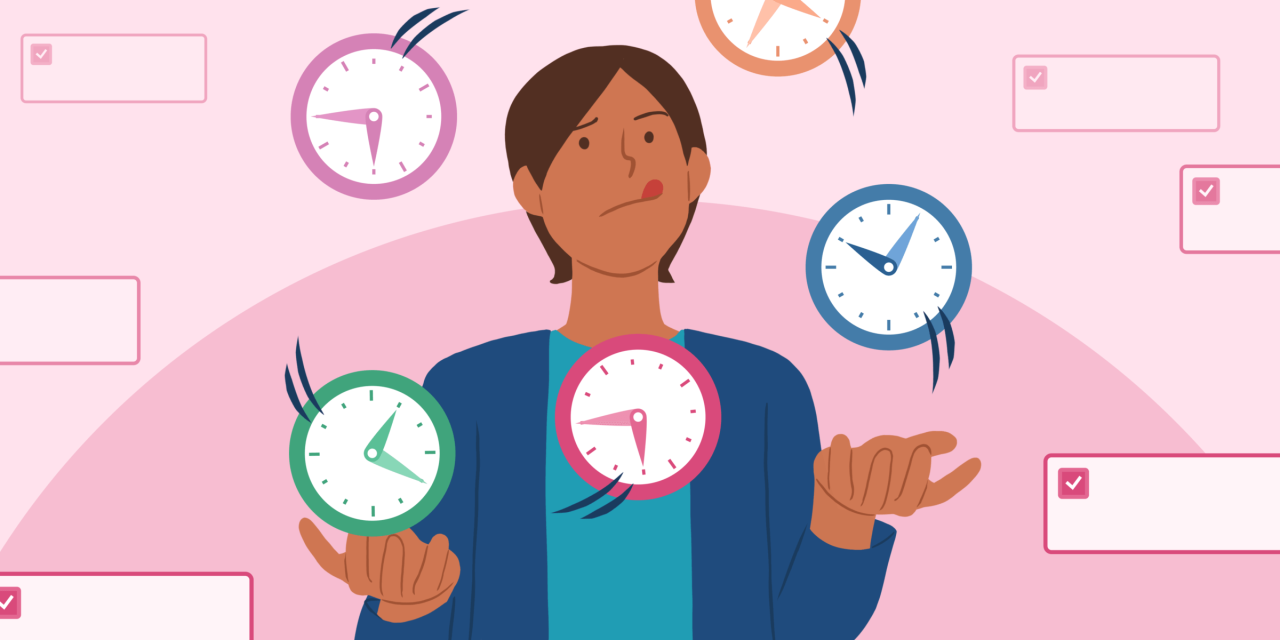
Optimizing design workflows is crucial for maximizing efficiency and minimizing wasted time. A well-structured workflow ensures projects progress smoothly, from initial concept to final delivery, leading to higher quality outputs and increased client satisfaction. Efficient workflows are key to a designer’s productivity and allow them to focus on the creative aspects of their work, rather than getting bogged down in administrative tasks.Effective workflow optimization involves understanding the inherent steps in a design process and strategically streamlining them.
This approach enables designers to identify bottlenecks and implement solutions to accelerate project completion. By analyzing and adjusting workflows, designers can significantly improve their output and deliver projects on time and within budget.
Common Workflow Bottlenecks
Workflow bottlenecks are obstacles that hinder the smooth progress of design projects. Identifying and addressing these bottlenecks is vital for improved efficiency. Understanding these impediments and implementing effective solutions is key to improving overall design workflow performance.
- Inefficient communication channels:
- Lack of defined design phases:
- Overly complex design processes:
- Inadequate tools and resources:
- Poorly defined project scope:
Inefficient communication channels often lead to delays and misunderstandings, impacting the design process. This can range from lack of clarity in project briefs to miscommunication between team members. Implementing clear communication protocols and using collaborative tools can alleviate this bottleneck. For example, using project management software with built-in communication features can ensure that everyone is on the same page.
Projects without clearly defined phases, like ideation, research, and design, lead to ambiguity and wasted time. This ambiguity can result in confusion over responsibilities and deadlines, delaying project completion. Creating detailed design phases with specific deliverables and timelines for each phase helps manage the design process effectively.
Overly complex design processes, with unnecessary steps or layers of approval, can significantly slow down project completion. This can stem from a lack of streamlining, which can cause excessive back-and-forth communication and approval cycles. Simplifying the process and eliminating unnecessary steps can dramatically improve efficiency.
Lack of access to appropriate design tools or inadequate resources can lead to delays. This could include not having access to the latest software, insufficient storage space for files, or not having the necessary equipment. Investing in essential tools and resources can boost productivity and streamline the design process.
A project without a clear scope can lead to designers working on tasks that are not aligned with the project goals. This often causes delays, confusion, and rework, resulting in wasted time. Clearly outlining project requirements, deliverables, and timelines at the outset ensures that everyone is working towards the same objectives.
Design Time Allocation
A structured approach to allocating time for each design stage is essential. This ensures efficient use of resources and allows designers to manage their time effectively. A well-defined time allocation can ensure that designers are able to allocate sufficient time for each stage of the design process, preventing bottlenecks and maximizing efficiency.
| Design Stage | Estimated Time Allocation (in hours) |
|---|---|
| Ideation | 20-40 |
| Research | 10-20 |
| Design | 40-80 |
| Development | 30-60 |
Note: These estimations are guidelines and may vary based on the complexity of the project and the designer’s experience level.
Streamlining Design Processes
Streamlining design processes involves optimizing each step to reduce wasted time and improve efficiency. Identifying and eliminating unnecessary steps or tasks can lead to a more productive design workflow. Streamlining the design process can have a significant impact on overall project efficiency.Implementing effective time management strategies, utilizing appropriate design tools, and maintaining clear communication channels are crucial for streamlining design processes.
For example, implementing design templates can significantly reduce the time needed to develop initial designs. Establishing clear design guidelines and standards also ensures consistency and reduces the need for repeated revisions.
Client Communication and Collaboration
Effective communication is paramount in any design project. Clear communication with clients throughout the project lifecycle ensures alignment on expectations, prevents misunderstandings, and fosters a collaborative environment leading to successful outcomes. This section Artikels strategies for managing client expectations and maintaining open communication channels.Open communication fosters a strong collaborative relationship, allowing for timely adjustments and ensures project deliverables meet client needs.
This proactive approach minimizes potential issues and strengthens the client-designer relationship.
Effective Communication Strategies
Maintaining consistent communication throughout the design process is crucial. This involves proactive updates, prompt responses to inquiries, and clear explanations of project timelines and deliverables. Regular check-ins allow for early identification and resolution of potential problems, preventing costly delays. Emphasize active listening to understand client needs and preferences.
Managing Client Expectations
Understanding and managing client expectations is vital for a successful project. A clear understanding of design deliverables and deadlines, along with a proactive approach to addressing concerns, is key to mitigating potential frustrations. This involves setting realistic expectations from the outset, providing transparent communication about project progress, and proactively addressing any concerns or questions. A well-defined communication plan helps manage expectations and builds trust.
Client Communication Templates
Clear communication templates streamline interactions and maintain consistency. They provide a structured format for communication, ensuring that essential information is conveyed effectively.
- Project Kick-off Template: This template Artikels project goals, timelines, deliverables, and roles. It establishes a common understanding of the project’s scope and expectations from the beginning.
- Progress Update Template: This template provides a regular summary of project progress, highlighting key milestones achieved, tasks completed, and any potential roadblocks. It keeps clients informed about the project’s status and allows for timely intervention if necessary.
- Feedback Request Template: This template prompts clients to provide feedback on specific design iterations or deliverables. It Artikels the purpose of the feedback and how it will be incorporated into the design process.
Communication Protocols
Establishing clear communication protocols ensures efficient and effective interactions. This section details a structured approach to managing client expectations.
| Communication Type | Response Time | Reporting Format | Meeting Schedule |
|---|---|---|---|
| Email Inquiries | Within 24 hours | Detailed email responses | Weekly or bi-weekly, as agreed |
| Phone Calls | Within 48 hours | Detailed minutes of discussion | As needed, or per agreed schedule |
| Meeting Follow-up | Within 24 hours of meeting | Summary of discussion points and next steps | As per agreed schedule |
Maintaining Focus and Avoiding Distractions

Effective design requires sustained focus and concentration. Maintaining this focus amidst the constant barrage of notifications, emails, and interruptions is crucial for producing high-quality work. Strategies for managing these distractions and fostering a productive environment are essential components of successful time management for designers.Maintaining focus during design sessions is a continuous process requiring proactive measures to minimize distractions and maximize cognitive resources.
Understanding the common sources of distraction and implementing countermeasures is key to improving workflow efficiency and productivity. This section will delve into practical strategies to create a more focused and productive design environment.
Strategies for Maintaining Focus
Effective focus maintenance requires a proactive approach, anticipating potential distractions and employing strategies to minimize their impact. This involves establishing a dedicated workspace, optimizing the environment for concentration, and employing techniques to maintain mental clarity. Setting clear boundaries between work and personal time is also crucial.
Common Distractions and Countermeasures
Designers face a multitude of potential distractions. Understanding these distractions is the first step towards mitigating their impact.
- Social Media and Notifications: Constant notifications from social media, messaging platforms, and email can significantly disrupt concentration. Countermeasures include silencing notifications, using website blockers, or scheduling specific times for social media engagement. For example, many designers find it helpful to turn off all notifications during focused work sessions, returning to check them during scheduled breaks.
- Interruptions from Colleagues or Clients: Unexpected interruptions can derail workflow. Clear communication of working hours and availability, establishing dedicated meeting times, and using project management tools to coordinate tasks can help minimize these disruptions. For instance, designating specific times for meetings or using project management tools to coordinate tasks and deadlines can help avoid unexpected interruptions.
- Multitasking: The belief that multitasking enhances productivity is often a misconception. Designers who attempt to handle multiple tasks simultaneously often experience reduced efficiency and increased error rates. Focus on one task at a time to optimize productivity and quality. For example, instead of trying to respond to emails while working on a design project, allocate dedicated time blocks for each activity.
- Unorganized Workspace: A cluttered workspace can be a significant source of distraction. A well-organized workspace promotes a sense of order and control, contributing to focus and efficiency. For example, keeping the workspace tidy and free of unnecessary items reduces distractions and enhances the overall design environment.
Creating a Productive Work Environment
A conducive work environment significantly impacts focus and productivity. Creating a dedicated workspace, free from distractions, is crucial for maintaining concentration.
- Dedicated Workspace: Designate a specific area for work, ideally separate from areas used for relaxation or personal activities. This physical separation helps establish a mental separation between work and personal time, promoting better focus.
- Noise Cancellation: Noise can be a significant source of distraction. Consider using noise-canceling headphones or creating a quiet workspace to minimize the impact of environmental noise. For example, if noise is a major distraction, using noise-canceling headphones or finding a quiet workspace can dramatically improve focus.
- Ergonomic Setup: An ergonomic setup that considers posture and comfort is crucial for minimizing physical discomfort, which can lead to distractions. A comfortable and well-designed workspace reduces physical strain, enhancing focus and reducing mental fatigue.
Techniques for Enhancing Concentration
Several techniques can enhance concentration and reduce mental fatigue. These strategies help designers maintain focus and manage their cognitive resources effectively.
- The Pomodoro Technique: The Pomodoro Technique involves working in focused intervals (e.g., 25 minutes) followed by short breaks. This structured approach helps maintain concentration and prevents mental fatigue. This structured approach helps to maintain focus and prevent mental fatigue.
- Mindfulness Meditation: Mindfulness meditation practices can enhance focus and reduce stress, which can negatively affect concentration. Regular practice can improve attention span and emotional regulation, supporting sustained focus during design sessions.
- Time Blocking: Allocating specific time blocks for different tasks helps to structure the day and maintain focus. This structured approach minimizes the need for constant task switching, leading to greater efficiency and fewer distractions. For example, scheduling a specific time for design work and avoiding interruptions during this time block.
Time Management for Specific Design Disciplines
Effective time management is crucial for designers of all specializations. Understanding the unique demands and intricacies of different design roles allows for the development of tailored strategies that optimize workflow and productivity. By recognizing the time-sensitive aspects of various design tasks, designers can prioritize effectively and deliver high-quality work within realistic deadlines.Different design disciplines present unique challenges related to project scope, client interaction, and the nature of creative output.
This section delves into the specific time management needs of UI/UX, graphic design, and web design, along with the distinctions between freelance and in-house roles.
Unique Time Management Challenges by Design Specialization
Understanding the distinct demands of each design discipline is vital for tailoring time management strategies. UI/UX designers often face the challenge of iterative design processes, requiring flexibility and adaptability to client feedback. Graphic designers, on the other hand, may encounter tight deadlines for print materials or marketing campaigns. Web designers frequently juggle multiple tasks, from front-end development to back-end integrations and optimization.
These varying demands necessitate specialized approaches to time allocation and task prioritization.
Strategies for Effective Time Management Tailored to Specific Disciplines
Effective strategies vary depending on the specific design specialization. UI/UX designers can leverage design sprints and user testing methodologies to streamline the design process and maintain a structured approach. Graphic designers can utilize project management tools to track progress and manage various design elements simultaneously. Web designers can leverage task management tools and checklists to ensure comprehensive project coverage, including front-end, back-end, and considerations.
Typical Time Allocation for Various Design Specializations
| Design Specialization | Client Communication | Design Work | Research & Ideation | Development/Implementation | Review & Revisions |
|---|---|---|---|---|---|
| UI/UX | 20% | 30% | 25% | 15% | 10% |
| Graphic Design | 15% | 40% | 20% | 15% | 10% |
| Web Design | 20% | 25% | 15% | 30% | 10% |
Note: These percentages are estimations and may vary depending on project complexity and client requirements.
Time Management Requirements for Freelance vs. In-House Designers
The time management requirements for freelance designers differ significantly from those of in-house designers. Freelance designers must manage their own schedules, projects, and client interactions independently. This often necessitates more robust time management strategies to ensure the successful completion of projects while maintaining a healthy work-life balance. In-house designers, on the other hand, typically have established workflows and internal support structures, reducing the need for self-sufficiency in certain aspects of project management.
However, in-house designers often need to balance multiple projects and collaborate with various team members, impacting their time management in different ways.
Freelancers must be exceptionally organized and proactive in managing their time, resources, and client communications.
In-house designers often find their time management influenced by team dynamics, project priorities, and company policies. A thorough understanding of the unique demands of each role is crucial for successful time management.
Adapting to Changing Priorities
Effective time management in design is not just about planning; it’s about adaptability. Unexpected changes, scope creep, and unforeseen delays are inevitable. A robust strategy anticipates these variables and provides a framework for adjusting priorities and maintaining project momentum. Successful designers leverage flexibility and proactive communication to navigate these challenges effectively.Design projects often encounter unexpected shifts in requirements or deadlines.
Adaptability becomes crucial in these situations. Understanding how to adjust time management strategies and techniques allows designers to stay on track and deliver high-quality work despite evolving circumstances. This includes recognizing and addressing scope creep, handling delays, and effectively managing workload spikes during critical periods.
Adjusting Time Management Strategies
Successfully adapting to changes requires a flexible mindset and a well-defined process. Designers must be prepared to re-evaluate their plans, allocate time differently, and communicate changes transparently to stakeholders. This involves re-prioritizing tasks, adjusting deadlines, and communicating changes to the project team and clients. This proactive approach minimizes potential conflicts and keeps the project on a more stable trajectory.
Handling Project Scope Creep
Scope creep, the uncontrolled expansion of project requirements, is a common challenge. It often leads to delays and budget overruns. Effective management requires a clear understanding of the project’s initial scope, documented agreements with stakeholders, and proactive communication to address new requests promptly. Having a defined change management process can help prevent scope creep from derailing the project.
- Proactive Communication: Establish clear communication channels and protocols for handling scope changes. Regular meetings and updates with stakeholders are essential to understand evolving needs and potential impacts on the timeline and budget.
- Defining Change Requests: Implement a formal process for documenting and evaluating change requests. This ensures transparency and helps designers determine the feasibility and impact of proposed changes.
- Impact Analysis: Evaluate the impact of each change request on the project’s timeline, budget, and resources. This allows designers to make informed decisions about whether to accept or reject changes and develop alternative solutions.
Handling Unexpected Delays
Unexpected delays can disrupt project timelines and create pressure. Proactive measures and contingency planning are essential to mitigate the impact. Having a buffer in the schedule can provide room for unforeseen circumstances.
- Contingency Planning: Develop alternative plans or backup strategies for potential delays. This could include identifying tasks that can be completed in parallel or having a backup team member who can step in if necessary.
- Time Buffering: Incorporate buffer time into the schedule to accommodate unforeseen circumstances. This allows designers to adjust to unexpected delays without jeopardizing the overall project timeline.
- Communication and Collaboration: Maintain open communication with the project team and stakeholders to promptly address the impact of delays and agree on revised timelines.
Managing High Workload and Tight Deadlines
High workloads and tight deadlines require careful planning, prioritization, and resource allocation. Effective delegation and efficient workflow management are crucial to success.
- Prioritization: Prioritize tasks based on urgency and importance. Techniques like the Eisenhower Matrix can assist in this process.
- Delegation: Delegate tasks effectively when possible. This frees up time for more complex tasks or high-priority activities.
- Time Blocking: Allocate specific time blocks for particular tasks to maintain focus and manage time effectively.
Handling Project Scope Creep – Different Approaches
| Approach | Description | Pros | Cons |
|---|---|---|---|
| Negotiation | Engage with stakeholders to understand their needs and find mutually agreeable solutions that align with the project’s scope. | Maintains positive relationships, avoids conflict. | Can be time-consuming, may not be suitable for inflexible stakeholders. |
| Refusal | Clearly communicate that certain changes are not feasible or appropriate within the existing scope, budget, or timeline. | Maintains project integrity, prevents unnecessary delays. | May lead to conflict with stakeholders, requires strong justification. |
| Prioritization | Re-evaluate the project’s priorities and focus on the most critical aspects of the scope. | Allows for a streamlined approach, can realign focus. | May compromise on certain features or functionalities, requires stakeholder buy-in. |
| Incremental Development | Deliver smaller, functional increments of the project to allow for changes to be incorporated during the development process. | Provides flexibility, allows for feedback and adjustments. | Can lead to increased complexity if not managed effectively. |
Last Recap
In conclusion, mastering time management as a designer is a continuous process of learning and adapting. By implementing the strategies and techniques Artikeld in this guide, designers can achieve better work-life balance, enhance project outcomes, and elevate their overall professional performance. Remember, time management is not just about tracking time; it’s about optimizing your workflow and harnessing your strengths for maximum impact.