Time logging is a powerful tool for understanding and optimizing your work habits. This comprehensive guide explores the crucial role of accurate time tracking in identifying productivity patterns and ultimately boosting efficiency. From choosing the right time tracking methods to analyzing your logs for actionable insights, this guide provides a structured approach to enhancing your productivity.
This detailed guide covers various aspects of time logging, including different types of logs, diverse time tracking tools, and strategies for effectively analyzing the data. We will delve into setting realistic goals, prioritizing tasks, and recognizing areas for improvement based on your time logs.
Introduction to Time Logging for Productivity Measurement
Time logging is a systematic method of recording the amount of time spent on various tasks and activities. It plays a crucial role in productivity measurement by providing a detailed account of how time is allocated. By accurately tracking time spent on different activities, individuals and teams can gain valuable insights into their productivity patterns, identify areas for improvement, and optimize their workflows.Accurate time tracking is essential for understanding productivity patterns.
Without a record of how time is spent, it’s difficult to identify bottlenecks, wasted time, or tasks that consume disproportionate amounts of time. This lack of awareness hinders the ability to optimize workflows and maximize output. Time logging enables individuals and teams to pinpoint these inefficiencies, leading to better allocation of resources and improved overall productivity.
Different Types of Time Logs
Time logs can be categorized based on the scope and duration of the recorded activities. Understanding the different types helps tailor the log to specific needs.
- Daily time logs provide a snapshot of activities performed over a 24-hour period. This level of detail is helpful for daily task management and identifying time-consuming tasks or patterns of procrastination.
- Weekly time logs offer a broader view of activities over a seven-day period. This type of log is ideal for assessing weekly workloads, tracking progress on projects, and evaluating the allocation of time across various tasks.
- Project-based time logs are tailored to specific projects. They meticulously record time spent on each project phase, task, or activity. This granular approach allows for precise analysis of project timelines, resource utilization, and identification of potential delays or bottlenecks.
Sample Time Log Structure
A well-structured time log facilitates easy analysis and interpretation of data. The table below showcases a basic structure for a project-based time log.
| Date | Time In | Time Out | Task | Project | Notes |
|---|---|---|---|---|---|
| 2024-10-27 | 09:00 | 10:00 | Research Market Trends | New Product Launch | Identified key competitors and market share data. |
| 2024-10-27 | 10:00 | 12:00 | Draft Project Proposal | New Product Launch | Artikeld key features, target audience, and financial projections. |
| 2024-10-27 | 12:00 | 13:00 | Lunch Break | General | |
| 2024-10-27 | 13:00 | 16:00 | Client Meeting Preparation | New Product Launch | Prepared presentation materials and reviewed key talking points. |
Choosing the Right Time Tracking Method
Selecting the appropriate time tracking method is crucial for accurate productivity measurement. Different methods cater to various needs and preferences, and understanding their strengths and weaknesses is key to maximizing the effectiveness of your time logs. This section explores various time tracking tools and their application to diverse scenarios.
Time Tracking Tools
Numerous tools facilitate time tracking, each with its own set of features and benefits. These tools range from simple timer apps to complex software platforms, allowing for customization and adaptation to individual work styles.
- Desktop Applications: Desktop applications, often integrated with project management software, offer a robust and comprehensive approach to time tracking. They usually provide detailed reporting features and seamless integration with existing workflows, making them suitable for individuals and teams working on intricate projects.
- Mobile Applications: Mobile apps provide a convenient and portable solution for time tracking. Their accessibility makes them ideal for individuals who work on the go or in various locations. Many mobile apps offer real-time tracking, allowing users to log their time as they work.
- Web-Based Platforms: Web-based platforms offer a scalable and collaborative environment for time tracking. They are often cloud-based, allowing multiple users to access and manage time logs simultaneously. These platforms frequently integrate with other productivity tools, streamlining workflow management.
Comparison of Time Tracking Methods
Different time tracking methods offer varying levels of automation and control. Understanding these distinctions helps in selecting the most appropriate approach.
- Manual Logging: Manual logging involves using a physical logbook, spreadsheet, or notepad to record time spent on various tasks. While this method allows for complete control over data entry, it can be time-consuming and prone to errors, particularly for extended periods of work. Manual logging is suitable for individuals needing full transparency and control over their data without significant computational needs.
- Automated Tools: Automated tools, such as dedicated time tracking software, automatically record time spent on tasks. This approach minimizes manual effort and reduces the risk of human error, leading to more accurate time logs. Automated tools are ideal for individuals or teams seeking efficiency and accuracy in their time management. The accuracy is dependent on the tool’s functionality and the user’s ability to properly configure it.
- Timer Apps: Timer apps offer a simple, focused approach to time tracking. They are typically used for recording the duration of specific tasks or projects. Timer apps are well-suited for individuals who need to track shorter work sessions or focus on specific activities. They excel in cases where precise tracking of small tasks is necessary.
Advantages and Disadvantages of Different Methods
The choice of method depends on the specific use case and the user’s needs.
- Manual Logging: Manual logging is beneficial for those who prioritize control over their data. However, it can be less efficient and prone to errors. This method may not be ideal for complex projects or teams.
- Automated Tools: Automated tools offer greater accuracy and efficiency, especially for extended periods or complex projects. However, they may not provide the same level of customization as manual methods. Proper configuration is essential to avoid inaccuracies. The learning curve for these tools can be substantial, particularly for those unfamiliar with software.
- Timer Apps: Timer apps are best for short-term focused work sessions, but lack the comprehensive features of other methods for more extensive projects. These apps may not be suitable for tasks requiring extensive record-keeping.
Comparison of Popular Time Tracking Apps
This table presents a comparative overview of three popular time tracking apps, highlighting their key features.
| Feature | App A | App B | App C |
|---|---|---|---|
| Ease of Use | High | Medium | Low |
| Customization Options | Medium | High | Low |
| Reporting Features | Excellent | Good | Basic |
| Integration Capabilities | Extensive | Moderate | Limited |
| Pricing | Free/Paid | Paid | Free |
Implementing a Time Logging System

Establishing a robust time logging system is crucial for accurately measuring productivity and identifying areas for improvement. A well-structured system provides valuable insights into task durations, project timelines, and individual work patterns, enabling informed decision-making and optimized workflows. Consistent and meticulous data collection is key to deriving meaningful conclusions.Effective time logging systems go beyond simply recording hours worked.
They require careful consideration of task categorization, integration with existing tools, and adherence to a consistent logging process. This methodical approach ensures the data collected is both accurate and actionable.
Setting Up a Time Logging System
Implementing a time logging system involves several key steps. This structured approach ensures the system is user-friendly and effectively captures the necessary data. Begin by selecting a suitable time tracking method, whether it’s a dedicated software, a spreadsheet, or a simple notebook. Consider the complexity of your projects and the level of detail required.
- Choose a Time Tracking Method: Select a method that aligns with your needs and existing tools. Consider factors such as project complexity, required level of detail, and ease of use. For instance, if your project management software has built-in time tracking capabilities, leveraging that option might be the most efficient choice.
- Establish Clear Definitions: Define specific terms and categories for tasks and activities to maintain consistency in logging. This ensures that the data collected is meaningful and comparable across different projects and tasks. A clearly defined taxonomy of tasks and activities allows for accurate analysis and trend identification.
- Select a Time Unit: Determine the appropriate time unit for recording (e.g., minutes, hours, or days). A consistent time unit is vital for accurate calculations and meaningful analysis.
- Establish a Logging Schedule: Decide on a regular schedule for logging time, whether it’s daily, weekly, or as needed. Consistency is paramount for effective analysis.
Categorizing Tasks and Activities
A well-defined categorization system is essential for analyzing time spent on various tasks and activities. This allows for focused analysis of work patterns and the identification of potential bottlenecks or areas for improvement. A consistent and comprehensive categorization system is crucial for drawing actionable insights.
- Develop a Task Taxonomy: Create a hierarchical structure for categorizing tasks and activities. This structure should align with project phases, deliverables, or functional areas within the organization. For example, categorize tasks as “Project Planning,” “Design,” “Development,” or “Testing.”
- Define Activity Types: Define specific activity types within each task category. Examples include “research,” “meetings,” “coding,” or “client communication.” This detailed categorization enables precise analysis of time allocation across various work types.
- Utilize Project-Specific Categories: Create task and activity categories tailored to each project to maintain context and allow for specific analysis for each project. This ensures the data is relevant to the particular project goals and outcomes.
Integrating Time Logs with Project Management Tools
Integrating time logs with existing project management tools enhances workflow efficiency and data analysis. This integration simplifies data collection and facilitates project reporting. A seamless integration streamlines the process and enhances overall project management.
- Utilize Built-in Features: Leverage the time tracking features within project management software if available. This approach simplifies data entry and ensures accurate time recording. Consider features such as task assignment, progress tracking, and reporting.
- Develop Custom Integrations: If necessary, create custom integrations to sync time logs with project management software. This may involve using APIs or other integration methods. This custom approach allows for tailoring the integration to specific needs and data formats.
- Data Mapping: Ensure consistent data mapping between time logs and project management tools to avoid inconsistencies and facilitate accurate reporting. This involves establishing clear mappings between categories, activities, and tasks in both systems.
Consistency in Time Logging
Consistency in logging time is paramount for accurate productivity measurement. Regular and reliable data collection is essential for identifying patterns and trends. Without consistent logging, the data becomes unreliable and analysis yields inaccurate results. The consistency of the data collected is a cornerstone for deriving meaningful insights.
- Establish a Routine: Create a consistent routine for recording time spent on tasks and activities. This routine could involve logging at the start and end of each task or at regular intervals throughout the day.
- Regular Review: Regularly review logged time entries to identify any discrepancies or areas needing clarification. This proactive review process helps maintain accuracy and completeness of the data.
- Train Team Members: Provide training to team members on the importance and methods of accurate time logging. This training ensures all team members understand the process and maintain consistency.
Analyzing Time Logs for Productivity Insights

Reviewing your time logs is crucial for understanding where your time is spent and identifying areas for improvement. This analysis provides actionable insights into your productivity patterns, enabling you to optimize your workflow and achieve greater efficiency. By carefully examining your time allocations, you can pinpoint bottlenecks, recognize recurring patterns, and ultimately, boost your overall productivity.Thorough analysis of time logs allows for a deeper understanding of your daily activities and their impact on your overall output.
This understanding forms the basis for informed decisions regarding time management strategies and project prioritization, leading to a more productive and efficient work style.
Identifying Time-Consuming Tasks and Projects
Careful examination of your time logs reveals which tasks and projects consume the most time. By tracking the duration of each activity, you gain a clear picture of your time allocation. This allows you to pinpoint specific activities or projects that might be taking up excessive time compared to their relative importance or value. Identifying these time-consuming tasks provides the foundation for targeted strategies to streamline processes and improve efficiency.
Examples of Time Log Analysis to Pinpoint Bottlenecks
Analyzing time logs can reveal bottlenecks in your workflow. For instance, if you consistently spend a significant amount of time on a specific task, such as email management, this could indicate a potential bottleneck. Alternatively, if you repeatedly spend hours on a project that yields minimal results, this highlights a potential problem with project planning or execution.For example, a time log showing an employee consistently spending 2 hours per day on data entry tasks might suggest a need for automation or outsourcing.
Similarly, prolonged periods dedicated to meetings without clear outcomes could point to ineffective meeting management.
Recognizing Patterns in Time Spent on Different Activities
Time logs often reveal patterns in how time is spent across different activities. Recognizing these patterns is vital for identifying recurring inefficiencies. For instance, if you consistently spend large chunks of time on low-priority tasks, it indicates a potential problem with task prioritization. Regular review of these patterns helps to optimize your workflow and focus on higher-priority activities.
- Regular review of time spent on different tasks can identify recurring patterns, like consistently spending more time on one type of task or project.
- Consistent high time allocation to a particular task might indicate a need for process optimization or delegation.
- By tracking these patterns, you can establish an understanding of your workflow and identify potential bottlenecks.
Techniques for Interpreting Time Log Data to Improve Efficiency
Interpreting your time log data effectively leads to significant improvements in efficiency. One crucial technique is categorizing your tasks into various groups, such as project work, meetings, administrative tasks, and personal activities. This grouping allows you to compare time spent across different categories, identifying areas for improvement.
- Categorization: Grouping tasks into categories (e.g., project work, meetings, administrative tasks) allows for a comparative analysis of time spent across different areas. This helps in identifying areas requiring optimization.
- Prioritization: Analyzing time spent on different tasks reveals which ones demand immediate attention. This helps in prioritization and resource allocation, leading to improved efficiency.
- Automation: Identifying tasks consuming excessive time allows for exploring automation opportunities. For example, repetitive data entry tasks can be automated using software or tools.
- Process Optimization: Analyze the time spent on a specific task or project to identify areas for process improvement. For instance, a long time spent on a project may signal a need for better planning or more efficient resource allocation.
Using Time Logs for Goal Setting and Improvement

Time logs, when effectively analyzed, offer a powerful tool for setting realistic productivity goals and identifying areas for improvement. By tracking how time is spent, individuals can gain valuable insights into their work habits and make informed decisions about task prioritization and allocation. This understanding facilitates the development of actionable strategies to enhance productivity and achieve desired outcomes.
Setting Realistic Productivity Goals
Analyzing time log data provides a concrete foundation for setting achievable productivity goals. Instead of vague aspirations, goals can be defined by specific metrics tied to the time spent on various tasks. For instance, if a time log reveals that a significant portion of time is spent on unproductive activities, a realistic goal could be to reduce this time by a measurable amount.
This approach ensures that goals are grounded in actual work patterns, increasing the likelihood of success. Goals should be specific, measurable, achievable, relevant, and time-bound (SMART). Example: “Reduce time spent on social media during work hours by 15 minutes per day by the end of the month.”
Prioritizing Tasks and Allocating Time Effectively
Time logs illuminate which tasks consume the most time and which are completed quickly. This awareness allows for strategic task prioritization. Tasks that are critical to meeting deadlines or achieving key objectives should be allocated more time. Conversely, less critical tasks can be scheduled for times when energy levels are lower or when other less time-sensitive tasks are completed.
Effective time allocation is critical for productivity. A time log can reveal patterns of task completion times, which can then be used to optimize workflow.
Identifying Areas for Improvement
Time logs provide a comprehensive picture of how time is being used. This allows for the identification of areas where productivity can be improved. For example, if a time log reveals a significant amount of time spent on unproductive activities like unnecessary meetings or excessive email checking, strategies can be implemented to reduce or eliminate these activities. Detailed analysis of time logs often uncovers unexpected patterns or bottlenecks in workflow that might not have been apparent otherwise.
Tracking Progress Towards Goals Using Time Logs
Tracking progress toward productivity goals is facilitated by using time logs. By regularly recording time spent on tasks related to a specific goal, progress can be monitored. A simple table can be used to track the time spent on each task against the allocated time. For example, a project goal might be to complete a project within a given timeframe.
Time logs can track the time spent on each phase of the project. This provides a visual representation of progress and allows for adjustments as needed. Regular review of time logs against established goals enables effective course correction and ensures that progress is on track.
Best Practices and Tips for Effective Time Logging
Effective time logging is more than just recording hours; it’s a crucial tool for understanding your workflow and optimizing productivity. By implementing sound practices, you can transform your time logs from a simple record-keeping exercise into a powerful performance analysis tool. This section will delve into best practices for accurate time logging, addressing common challenges, and highlighting the importance of regular review and adjustment.
Accurate Time Recording Strategies
Accurate time recording is fundamental to deriving meaningful insights from your logs. Consistency in recording methods and the use of specific terminology are key to avoiding misinterpretations. Detailed descriptions of the activities logged are important to accurately reflect the nature of the work done.
- Use a consistent time-tracking format: Establish a clear format for your logs. This could include columns for date, time started, time finished, task description, and project. A well-structured format streamlines data entry and enhances analysis.
- Define tasks precisely: Avoid vague descriptions like “work on project.” Instead, be specific, such as “researching marketing strategies for Q3 campaign.” Detailed descriptions allow for a more nuanced understanding of your work.
- Track breaks and interruptions: Don’t overlook the time spent on breaks, meetings, or unexpected interruptions. Including these in your logs gives a complete picture of your workday, enabling you to identify time sinks.
- Employ a timer or time-tracking software: Digital tools offer accuracy and convenience. Timers and software automatically record start and end times, minimizing the risk of errors and facilitating data analysis.
Overcoming Time Logging Challenges
Time logging, while beneficial, can face hurdles. Understanding these challenges and developing strategies to overcome them is crucial to consistent implementation.
- Lack of time awareness: Subjectively estimating time spent on tasks can lead to inaccuracies. Developing a stronger awareness of time spent on various activities is essential. Start by using a timer for a week and observe your actual time spent on different tasks.
- Difficulty in distinguishing tasks: Overlapping or interconnected tasks can be challenging to delineate. Create clear boundaries between different activities, and use project-based categorizations to ensure each task is appropriately recorded.
- Procrastination and distractions: Time logging can be hindered by procrastination and distractions. Scheduling specific time blocks for particular tasks, or utilizing techniques like the Pomodoro Technique, can help overcome these challenges.
- Maintaining consistency: Maintaining a consistent time-tracking routine can be difficult. Developing a routine and incorporating it into your daily workflow helps establish a habit. Try linking your time-tracking activity to another daily routine, such as logging time after completing a specific task or at a set time each day.
Regular Review and Adjustment
Regularly reviewing your time logs is critical to identifying trends and patterns. These reviews offer valuable insights into your productivity and areas needing improvement.
- Frequency of review: Establish a regular review schedule, such as weekly or monthly, to maintain consistency and identify areas for improvement. Regularity helps you stay aware of your productivity patterns and make necessary adjustments.
- Identifying productivity trends: Analyze your time logs to identify patterns in your work. Do you consistently spend more time on specific tasks than expected? Are there certain times of day when you’re more productive? These insights allow for adjustments in your workflow.
- Adapting to changes: Life circumstances change, and your time management needs to adapt. Regular review allows you to adjust your time logs and strategies as needed. Consider any significant life changes or professional adjustments to reflect the changes in your workflow.
Maintaining a Consistent Time-Tracking Routine
Establishing a consistent routine for time tracking is key to its effectiveness. A well-defined routine promotes accuracy and provides a reliable basis for performance analysis.
- Scheduling dedicated time slots: Allocate specific time blocks for logging your activities. This ensures consistent data entry and avoids procrastination.
- Integrating into daily workflow: Incorporate time logging into your daily workflow to make it a seamless part of your routine. For example, log your time after completing a task or at the start and end of each work session.
- Using reminders and prompts: Set reminders or use tools that prompt you to log your time. This helps ensure that you don’t forget to log your activities. A simple reminder app or a note on your calendar can be effective.
Illustrative Case Studies of Time Log Analysis
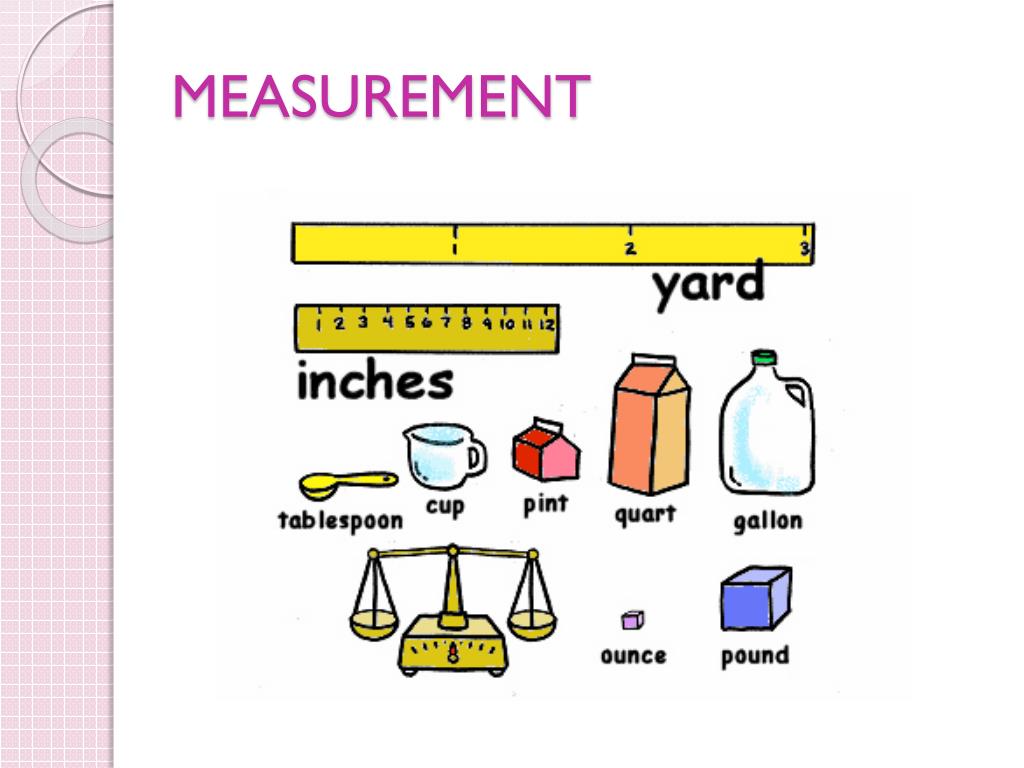
Time logs, when meticulously analyzed, provide invaluable insights into project workflows and individual productivity. This section explores real-world examples of how time log analysis can reveal bottlenecks, optimize strategies, and ultimately enhance project success. Understanding how time is spent is crucial for efficient project management and team performance.Detailed examination of time logs helps pinpoint areas where time is wasted, whether it’s due to inefficient processes, communication breakdowns, or inadequate resource allocation.
This understanding allows for targeted interventions, leading to improved project outcomes.
Project Alpha: Identifying Bottlenecks in the Design Phase
Time logs for Project Alpha, a website redesign project, revealed a significant portion of the designer’s time was spent on resolving technical issues with the existing website’s backend. This issue was not immediately apparent from the project plan. The logs clearly demonstrated a recurring pattern of delays during the design phase. This information allowed the project manager to address the root cause by allocating dedicated time for backend troubleshooting before initiating the design phase.
By understanding this inefficiency, the team proactively mitigated delays and improved overall project timelines.
Team Beta: Unveiling Inefficiencies in Collaboration
Team Beta, tasked with developing a new mobile application, experienced inconsistent progress despite having ample resources. Analyzing their time logs, it was discovered that excessive back-and-forth communication and a lack of clear task delegation were major contributors to the delays. The logs showed significant time spent in meetings with little tangible output. The team subsequently implemented a project management tool with features for clear task assignment and a centralized communication platform, improving team efficiency and productivity.
Adapting Work Strategies for Optimized Time Management
The following examples demonstrate how to adapt work strategies based on time log analysis:
- Prioritizing tasks: Time logs can identify tasks that consume disproportionate amounts of time. By prioritizing tasks based on their impact and urgency, teams can focus on high-value activities first, maximizing efficiency.
- Optimizing workflows: Analyzing time spent on different stages of a project helps identify bottlenecks or redundancies in the workflow. This analysis can reveal opportunities to streamline processes and eliminate unnecessary steps, leading to improved time management.
- Adjusting resource allocation: Time logs can indicate areas where specific skills or resources are over-utilized or underutilized. Reallocating resources based on these insights can ensure optimal utilization of personnel and tools.
Example of a Time Log Extract for a Specific Task
| Task | Start Time | End Time | Duration | Notes |
|---|---|---|---|---|
| Design Mockup | 10:00 AM | 12:00 PM | 2 hours | No significant issues |
| Backend Troubleshooting | 12:00 PM | 2:00 PM | 2 hours | Spent resolving database connection error. |
| UX Review | 2:00 PM | 3:00 PM | 1 hour | Feedback received. |
This example illustrates a typical time log extract. It shows the duration of different tasks involved in a specific phase of a project, providing a granular view of the project timeline and associated work activities.
Addressing Potential Pitfalls in Time Logging
Time logging, while a valuable tool for productivity analysis, is susceptible to various pitfalls. Understanding these common errors and implementing strategies to mitigate them is crucial for accurate and insightful results. Careful attention to detail and a proactive approach to potential challenges will significantly enhance the reliability and usefulness of time logs.Accurate time tracking is paramount to derive meaningful insights from the data collected.
Failure to meticulously record time spent on tasks can lead to skewed productivity metrics and ultimately, hinder progress towards goals. This section will delve into the common pitfalls of time logging and offer practical solutions to address them.
Common Mistakes in Time Logging and How to Avoid Them
Inconsistent or incomplete time entries can significantly impact the accuracy of productivity assessments. For example, neglecting to log short tasks or consistently underestimating time spent on specific activities can lead to a distorted view of time allocation. Establishing clear guidelines and a standardized approach to recording time spent on tasks is key to mitigate this issue.
Accuracy and Completeness of Time Logs
Maintaining the accuracy and completeness of time logs is essential for reliable productivity insights. Inconsistencies in data can lead to inaccurate conclusions and misguided strategies. For example, failure to record non-billable hours, such as meetings or administrative tasks, can create a skewed view of billable work output. Implementing clear guidelines for what constitutes a billable task, and consistent application of these guidelines, are crucial steps towards maintaining accuracy.
Handling Inaccurate Time Logs
In the event of an inaccurate time log, a proactive approach is crucial. Identify the source of the inaccuracy. Was it a simple oversight or a more systematic issue? If an error was made, review the entries and correct them as soon as possible. Avoid simply ignoring the error as this could lead to further discrepancies.
Dealing with Unexpected Interruptions During Work
Unexpected interruptions are a common occurrence in most work environments. These interruptions can significantly disrupt workflow and impact the accuracy of time logs. A helpful strategy is to estimate the duration of the interruption and log it in the time log, clearly noting the type of interruption. This approach helps maintain a more comprehensive and realistic view of work activities.
For instance, a 15-minute delay due to a technical issue can be recorded as such, ensuring the time log reflects the actual work progress. Alternatively, if the interruption is unusually frequent, consider adjusting the time log system to account for these occurrences. Regular review of the time logging process and adjustments to the system to adapt to the workflow can enhance the accuracy of the time tracking process.
Wrap-Up
In conclusion, mastering time logging offers a valuable path towards measurable productivity gains. By implementing the strategies Artikeld in this guide, you can gain a clear understanding of your work patterns, identify bottlenecks, and ultimately optimize your time management. Regular review and adjustments to your time logging system are key to sustaining progress and maximizing your efficiency.