Crafting a daily schedule is crucial for maximizing productivity and achieving personal goals. Google Calendar provides a powerful digital tool to organize your day, track tasks, and stay on top of commitments. This comprehensive guide will walk you through creating a personalized daily schedule within Google Calendar, equipping you with the essential knowledge and techniques to optimize your time and enhance your efficiency.
From setting up your Google Calendar account to incorporating breaks and downtime, this guide covers every aspect of creating a robust and effective daily schedule. We’ll explore various scheduling methods, time-blocking techniques, and essential features of Google Calendar to ensure your schedule is not just functional but also enjoyable and sustainable.
Introduction to Daily Scheduling
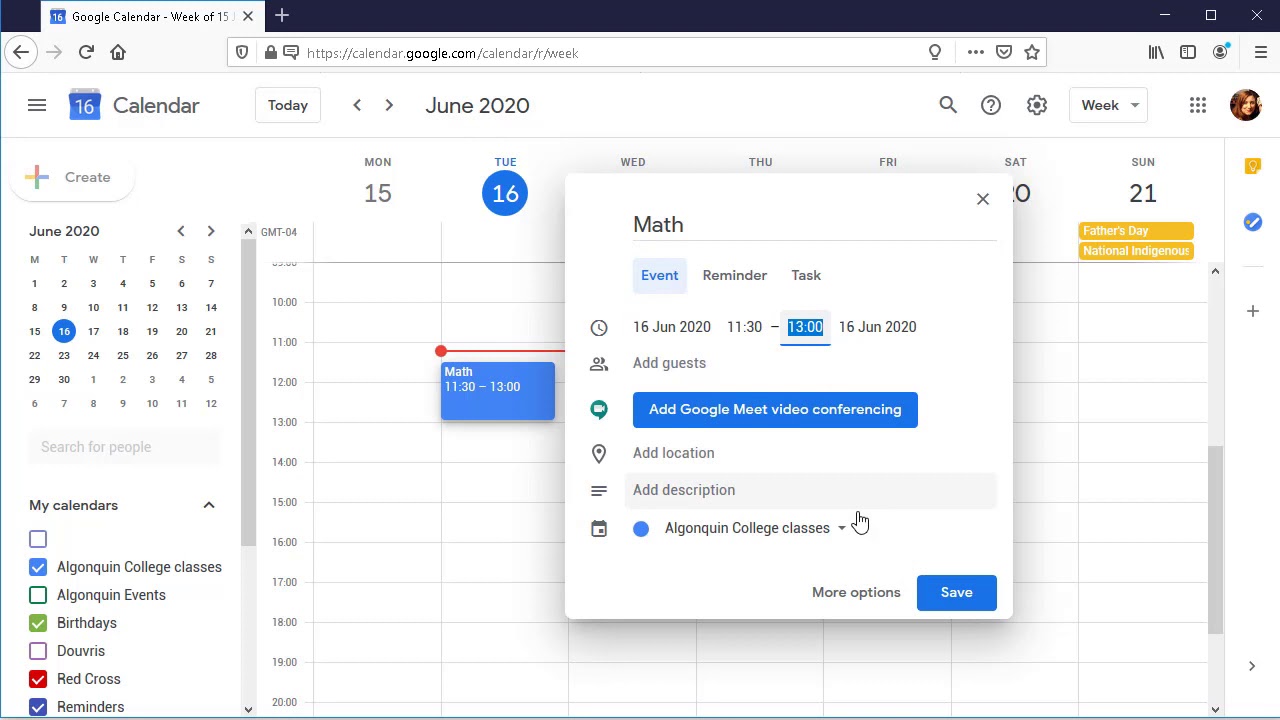
A well-structured daily schedule is a cornerstone of effective time management and productivity. Google Calendar provides a powerful digital platform to organize daily tasks, appointments, and events, enhancing your ability to stay on track and achieve your goals. A clear and concise daily schedule offers numerous benefits, from increased focus and reduced stress to improved overall efficiency.Creating a structured daily schedule fosters a sense of control over your day.
This control, in turn, leads to better prioritization of tasks, improved focus, and ultimately, a more productive and satisfying day. Utilizing a digital tool like Google Calendar allows for flexibility and adaptability, enabling adjustments and modifications as needed. A well-designed schedule can be a key to optimizing your time and achieving a sense of accomplishment.
Benefits of Using Google Calendar for Daily Scheduling
Google Calendar offers a user-friendly interface for scheduling and managing daily tasks, meetings, and appointments. Its digital nature allows for easy sharing and collaboration, which is beneficial for team projects or coordinating with others. The platform’s ability to integrate with other applications and services further enhances its value.
Importance of a Structured Daily Schedule
A structured daily schedule provides a framework for managing your time effectively. It helps you prioritize tasks, allocate time appropriately, and stay organized. This structure reduces decision fatigue and allows you to focus on the most important activities. It promotes a sense of control over your day, reducing feelings of overwhelm and enhancing productivity.
Advantages of Using a Digital Tool Like Google Calendar
Digital tools like Google Calendar offer significant advantages over traditional scheduling methods. They are easily accessible from various devices, allowing you to manage your schedule on the go. They offer features like reminders and notifications, ensuring you never miss an important event or deadline. Their flexibility and adaptability allow for real-time adjustments and modifications. Data can be easily exported and shared with others.
Definition of a Daily Schedule
A daily schedule is a pre-planned arrangement of tasks, appointments, and events for a single day. It serves as a roadmap, guiding you through your activities and commitments. It’s a tool for maximizing your time and ensuring you accomplish your goals.
How a Well-Organized Schedule Improves Productivity
A well-organized schedule can significantly improve productivity by providing a clear roadmap for the day. It helps you focus on high-priority tasks, preventing distractions and maximizing efficiency. The structure of a well-organized schedule reduces decision fatigue, allowing you to concentrate on your work without unnecessary interruptions. It fosters a sense of accomplishment, as you are more likely to complete tasks when they are clearly defined and scheduled.
Basic Daily Schedule Template
A simple daily schedule template can be designed using a table format. This structure provides a clear overview of your planned activities for the day.
| Time | Activity | Priority |
|---|---|---|
| 8:00 AM – 9:00 AM | Morning Meeting | High |
| 9:00 AM – 12:00 PM | Project Work | High |
| 12:00 PM – 1:00 PM | Lunch | Medium |
| 1:00 PM – 4:00 PM | Client Calls | High |
| 4:00 PM – 5:00 PM | Email Management | Medium |
| 5:00 PM – 6:00 PM | Evening Routine | Low |
Setting Up Your Google Calendar
Creating a daily schedule in Google Calendar is a straightforward process. This section provides a step-by-step guide to setting up your Google Calendar account, customizing your calendar, and utilizing its various views for efficient daily scheduling. A well-organized calendar is essential for maintaining focus and productivity.Successfully implementing a daily schedule hinges on the effective use of tools like Google Calendar.
This section will walk you through the critical steps to establish and manage your personal calendar.
Creating a Google Calendar Account
If you don’t already have a Google account, you’ll need one to access Google Calendar. Visit the Google Accounts page and follow the registration process. Provide the necessary information, including your name, email address, and password. Confirm your email address to complete the account setup.
Creating a Daily Scheduling Calendar
Once you have a Google account, you can create a new calendar dedicated to your daily schedule. Navigate to your Google Calendar and click the “+” button located at the top-left corner. This will open a dialogue box where you can create a new calendar. Enter a descriptive name for your daily schedule calendar (e.g., “My Daily Schedule”).
Choose a color for the calendar to help distinguish it from other calendars in your account.
Configuring Calendar Settings
To tailor your calendar to your preferences, adjust the settings within Google Calendar. Open the settings by clicking the gear icon in the top-right corner of the calendar view. This will display various options. You can personalize notification settings, such as whether you want to receive reminders before an event. You can also choose the default view, the time zone for your calendar, and the level of detail displayed.
These configurations help create a calendar experience that best suits your needs.
Adding Personal Details
Adding personal details to your calendar is crucial for accurate and effective scheduling. This includes inputting your name and contact information. You can also set up reminders for important appointments, events, or deadlines. These reminders help you stay organized and on track with your schedule.
Calendar Views for Daily Scheduling
Google Calendar offers various views to visualize your daily schedule effectively. The “Day” view provides a comprehensive overview of your schedule for a single day. The “Week” view presents a broader perspective, showing your schedule for an entire week. The “Month” view gives you a high-level overview of your monthly commitments. Choosing the right view depends on your scheduling needs and the level of detail required.
Essential Google Calendar Features
Google Calendar provides several essential features for scheduling. These features streamline the scheduling process and enhance organization. Adding events, including details like location and attendees, is a primary function. Setting reminders and alarms ensures that you don’t miss important appointments. Sharing your calendar with others allows for collaboration and ensures everyone is aware of your schedule.
Exporting your schedule allows you to save a copy for backup or use with other applications.
Planning Your Daily Schedule
Crafting a daily schedule is a crucial step towards effective time management and achieving personal and professional goals. A well-structured schedule helps prioritize tasks, allocate appropriate time, and minimize wasted effort. This section details various methods for planning a daily schedule, highlighting important considerations and strategies to avoid common time-wasting pitfalls.A thoughtfully designed daily schedule can significantly improve productivity and reduce stress by providing a clear roadmap for the day.
It’s a proactive approach to managing your time, rather than reacting to a constantly shifting to-do list.
Methods for Planning a Daily Schedule
Different methods cater to various personalities and work styles. Understanding these approaches allows you to choose the one that best aligns with your needs. Some popular methods include the time-blocking technique, the task-list approach, and the Eisenhower Matrix.
Comparing Scheduling Approaches
The time-blocking method allocates specific time slots for particular tasks. This method is highly structured and visually appealing. The task-list approach, conversely, focuses on listing tasks without assigning specific times. This approach is more flexible but can lead to task procrastination if not paired with effective prioritization. The Eisenhower Matrix, which categorizes tasks by urgency and importance, provides a framework for prioritizing tasks, helping you focus on high-priority items first.
Important Considerations for Daily Scheduling
Several factors influence the effectiveness of a daily schedule. Considering these elements can optimize your schedule for success.
- Prioritization: Identifying tasks based on urgency and importance is paramount. High-priority tasks should be scheduled during peak productivity hours, while less critical items can be scheduled for later. This ensures you allocate sufficient time for crucial tasks and avoid feeling overwhelmed by the to-do list.
- Realistic Time Allocation: Overestimating or underestimating time for tasks can disrupt your schedule. Accurate estimations, based on past experiences or estimations, are crucial. Allowing buffer time for unexpected delays or interruptions is also important.
- Flexibility: While structure is key, incorporating flexibility into your schedule is essential. Unexpected events or urgent requests may require adjustments. This adaptability will help you remain productive without getting derailed.
- Regular Review and Adjustment: Regularly reviewing and adjusting your schedule is critical. Evaluate what worked well and what needs improvement. This iterative approach ensures the schedule remains effective and aligns with your evolving needs.
Time-Wasting Activities and Avoidance Strategies
Recognizing and mitigating time-wasting activities is essential for maximizing productivity.
- Distractions: Social media, emails, and unnecessary phone calls can significantly impact productivity. Consider using website blockers, focusing on one task at a time, and scheduling specific times for checking emails and messages.
- Procrastination: Addressing procrastination requires a structured approach. Breaking down large tasks into smaller, manageable steps, setting realistic goals, and creating a dedicated workspace can aid in reducing procrastination.
- Perfectionism: Striving for perfection can delay tasks indefinitely. Setting realistic expectations and aiming for progress over perfection can lead to faster completion and increased productivity.
Sample Daily Schedule for a Typical Workday
The following is a sample schedule for a typical workday, highlighting the time-blocking technique:
| Time | Activity | Priority |
|---|---|---|
| 8:00 – 9:00 | Review emails and prepare for the day | High |
| 9:00 – 12:00 | Project A tasks | High |
| 12:00 – 1:00 | Lunch break | Medium |
| 1:00 – 3:00 | Project B tasks | High |
| 3:00 – 4:00 | Meeting with Client X | High |
| 4:00 – 5:00 | Report writing and follow-up tasks | Medium |
| 5:00 – 6:00 | Prepare for tomorrow | Low |
Time Blocking Technique Demonstration
The time-blocking technique involves allocating specific time blocks for various tasks. This method allows for a clear visual representation of your daily schedule, making it easier to prioritize tasks and allocate time effectively.
Adding Events and Tasks
Creating a comprehensive daily schedule involves effectively adding events and tasks to your Google Calendar. This section details the various methods for adding events, including recurring entries, reminders, and color-coding for better organization. Understanding these techniques will allow you to manage your time effectively and stay on track with your daily commitments.Adding events to your Google Calendar is a straightforward process.
It allows you to visualize your commitments and deadlines, providing a clear overview of your day. This structured approach helps manage time effectively and improves productivity.
Types of Events
Different types of events cater to various scheduling needs. This includes appointments, meetings, deadlines, and tasks. Categorizing events allows you to better visualize and manage your schedule.
- Appointments: Scheduled blocks of time dedicated to specific activities, such as doctor’s appointments, meetings, or social gatherings. These often require a dedicated time slot and specific location.
- Meetings: Formal gatherings with multiple participants. These frequently involve discussions and collaboration.
- Deadlines: Specific points in time for completing tasks or projects. These are often associated with a particular project or task and require careful planning to avoid delays.
- Tasks: Smaller, actionable items that contribute to larger goals. These can be categorized into different groups or projects.
Adding Recurring Events
Scheduling recurring events saves time and ensures consistency in your schedule. Recurring events repeat at regular intervals, whether daily, weekly, or monthly.
- Daily Recurring Events: Events that repeat daily, such as morning exercise or daily work tasks. For example, a daily morning exercise session at 6:00 AM.
- Weekly Recurring Events: Events that repeat weekly, such as a weekly team meeting or a weekly grocery shopping trip. For instance, a weekly team meeting every Tuesday at 10:00 AM.
- Monthly Recurring Events: Events that repeat monthly, such as paying bills or attending a monthly book club. A monthly payment due on the 15th of every month.
- Yearly Recurring Events: Events that repeat annually, such as birthdays or holidays. A birthday celebration every year on the same date.
Adding Reminders and Notifications
Reminders and notifications help you stay informed about upcoming events and deadlines. This ensures that you don’t miss important appointments or deadlines.
- Setting Reminders: You can set reminders for specific events, which can range from a few minutes to several days in advance.
- Choosing Notification Methods: Google Calendar offers various notification options, such as email, mobile push notifications, or calendar pop-ups.
Color-Coding for Categorization
Color-coding is a powerful tool for quickly identifying different types of events. This visual approach simplifies navigation and organization.
- Assigning Colors: Assign specific colors to different categories of events (work, personal, appointments, meetings, etc.).
- Visual Clarity: This visual organization makes it easier to distinguish between various events at a glance.
Categorizing Events for Daily Scheduling
This table demonstrates a possible categorization system for your daily schedule. This systematic approach improves organization and management of your time.
| Category | Event Type | Color | Example |
|---|---|---|---|
| Work | Meeting | Blue | Team Meeting |
| Work | Task | Green | Project Report |
| Personal | Appointment | Red | Doctor’s Appointment |
| Personal | Social | Purple | Dinner with Friends |
| Errands | Task | Orange | Grocery Shopping |
Managing Your Schedule
Effective daily scheduling goes beyond simply listing tasks. It involves strategies for navigating the unexpected, prioritizing efficiently, and even delegating responsibilities to optimize your time and productivity. This section will explore practical methods for maintaining a dynamic and manageable schedule in Google Calendar.Maintaining a consistent schedule requires flexibility and adaptability. Unforeseen circumstances can disrupt even the most meticulously planned days.
Learning to adjust your schedule proactively and efficiently is crucial for maintaining productivity and well-being.
Best Practices for Managing Your Daily Schedule
Consistent application of best practices will contribute to a smoother and more effective daily schedule management. These include using clear labels for tasks, allocating sufficient time for each task, and regularly reviewing and adjusting your schedule to reflect your evolving needs. Effective scheduling practices foster a proactive approach, rather than a reactive one.
- Regular Review and Adjustment: Schedule time each day or week to review your calendar. This allows you to identify potential conflicts, adjust deadlines, and re-prioritize tasks as needed. Regular review helps ensure your schedule remains aligned with your current priorities and commitments.
- Clear Labeling and Categorization: Use descriptive labels and categories for events and tasks in your Google Calendar. This makes it easier to quickly locate and filter items based on their importance, project, or context. For instance, categorize tasks as “Work,” “Personal,” “Errands,” etc., for enhanced organization.
- Realistic Time Allocation: Be realistic about the time needed for each task. Overestimating the time for a task can lead to a packed schedule and potential stress. Underestimating time can lead to missed deadlines. Thorough task analysis is crucial for realistic time allocation.
- Buffer Time: Incorporate buffer time between appointments and tasks. Buffer time provides flexibility to accommodate unexpected delays, allowing you to stay on schedule without feeling rushed or stressed.
Adjusting Your Schedule for Unforeseen Circumstances
Adaptability is key to maintaining a productive schedule. Unforeseen circumstances like unexpected meetings, urgent requests, or personal emergencies can disrupt the most well-structured plans.
- Flexibility and Contingency Planning: Build flexibility into your schedule. Identify potential roadblocks and plan for alternative actions. This might involve scheduling buffer time, identifying backup tasks, or having a contingency plan in place.
- Prioritization and Re-allocation: When unexpected events arise, prioritize the most critical tasks and re-allocate time accordingly. This might mean postponing less important tasks or rescheduling appointments.
- Communication and Collaboration: Communicate with others involved in the tasks or appointments. Inform them of any changes or delays to prevent misunderstandings and ensure everyone is on the same page.
Prioritizing Tasks Within Your Daily Schedule
Prioritization is essential for focusing your efforts on the most critical tasks. Effective prioritization strategies ensure that the most important tasks are tackled first, ultimately leading to higher productivity and a sense of accomplishment.
- Use Prioritization Methods: Employ prioritization methods like the Eisenhower Matrix (Urgent/Important), Pareto Principle (80/20 rule), or simply listing tasks in order of importance.
- Consider Deadlines and Dependencies: Tasks with impending deadlines or those that depend on other tasks should be prioritized higher. This ensures timely completion and avoids delays.
- Estimate Task Effort: Estimate the effort required for each task. This allows for realistic planning and helps in prioritizing tasks accordingly. This might involve using time-tracking tools or historical data.
Delegating Tasks Within Your Schedule
Delegating tasks effectively can free up your time to focus on higher-priority activities. It’s crucial to choose the right tasks to delegate and to provide clear instructions.
- Identify Delegatable Tasks: Determine which tasks can be delegated without compromising quality or deadlines. Tasks that are repetitive, routine, or don’t require your specific expertise are often good candidates for delegation.
- Clear Instructions and Expectations: Provide clear and concise instructions to the delegatee. This includes outlining the task’s scope, desired outcome, and deadlines. Communicate expectations and any required resources.
- Monitor Progress and Provide Feedback: Regularly monitor the progress of delegated tasks and provide constructive feedback to the delegatee. This ensures the task is completed effectively and according to the established standards.
Potential Tools for Managing Your Daily Schedule
Numerous tools can augment your daily scheduling efforts. Selecting the right tool depends on individual preferences and needs.
- Google Calendar: Google Calendar, the foundation of this guide, provides robust scheduling capabilities. Its integration with other Google services enhances its effectiveness.
- Todoist, Asana, Trello: These task management tools provide features for organizing and tracking tasks, often integrating with calendars.
- Other Calendaring Apps: Many other calendaring apps are available, offering unique features tailored to specific needs.
Comparison of Scheduling Apps
| App | Key Features | Pros | Cons |
|---|---|---|---|
| Google Calendar | Integration with other Google services, free | Easy to use, comprehensive, highly integrated | Limited customization options compared to some other apps |
| Todoist | Task management, project organization | Excellent for task management, great for project organization | Might not be ideal for complex scheduling needs alone |
| Asana | Project management, task collaboration | Excellent for complex projects and teams, excellent collaboration tools | Steeper learning curve than Google Calendar or Todoist |
| Trello | Visual task management, Kanban boards | Visually appealing, flexible for various project types | Might not be as suitable for strictly sequential tasks |
Optimizing Your Schedule for Efficiency

Creating a daily schedule is a crucial step towards better time management and increased productivity. However, a well-structured schedule is not enough; optimizing it for maximum efficiency requires careful consideration of various techniques. This section will delve into strategies for enhancing your schedule, identifying time-wasting activities, and integrating flexibility and downtime for sustained productivity.A well-optimized schedule is not static; it is a dynamic tool that adapts to changing priorities and unforeseen circumstances.
It allows you to proactively manage your time and tasks, leading to greater control over your day and improved outcomes.
Time Management Techniques for Efficiency
Effective time management is paramount for optimizing your schedule. Understanding and applying various techniques can significantly improve productivity. Prioritization, using tools like the Eisenhower Matrix, and time blocking are key elements. Breaking down large tasks into smaller, more manageable ones enhances focus and prevents feeling overwhelmed.
Strategies for Enhanced Productivity
Implementing strategies to enhance productivity directly impacts the effectiveness of your schedule. Techniques such as the Pomodoro Technique, which involves focused work sessions followed by short breaks, can improve concentration and reduce mental fatigue. Leveraging task management apps or tools can streamline task organization and ensure that no task slips through the cracks. Regular review and adjustment of your schedule based on progress and changing needs are also essential components of effective productivity strategies.
Identifying and Eliminating Time-Wasting Activities
Recognizing and eliminating time-wasting activities is critical for maximizing efficiency. Activities like excessive social media use, procrastination, and unproductive meetings consume valuable time. By proactively identifying these time-wasting activities, you can allocate the reclaimed time to more productive endeavors. Strategies for curbing these activities include setting time limits for specific tasks, utilizing website blockers, and prioritizing tasks based on importance and urgency.
Flexibility and Adaptability in Scheduling
A flexible and adaptable schedule is crucial for handling unforeseen events and changes in priorities. Building buffer time into your schedule allows for unexpected delays or interruptions without derailing the entire day’s plan. The ability to adjust your schedule as needed ensures responsiveness to dynamic situations. This adaptability also allows you to take advantage of opportunities that arise.
Integrating Breaks and Downtime
Incorporating breaks and downtime into your schedule is essential for maintaining focus and preventing burnout. Regular breaks help to rejuvenate the mind and body, allowing for improved concentration and creativity during work sessions. Scheduling short breaks, even 5-10 minutes, throughout the day can be incredibly beneficial. Downtime, which may involve relaxing activities or simply stepping away from work, is vital for preventing mental fatigue and enhancing overall well-being.
Example of a Well-Structured Daily Schedule for a Student
| Time | Activity | Priority |
|---|---|---|
| 7:00-8:00 AM | Wake up, Morning Routine, Breakfast | High |
| 8:00-9:00 AM | Review Course Materials (Specific Subject) | High |
| 9:00-10:00 AM | Study for Exam (Specific Subject) | High |
| 10:00-10:30 AM | Break | Medium |
| 10:30-12:00 PM | Complete assigned tasks | High |
| 12:00-1:00 PM | Lunch, Personal Time | Medium |
| 1:00-2:00 PM | Attend online class/Tutorials | High |
| 2:00-3:00 PM | Study for Exam (Other Subject) | High |
| 3:00-3:30 PM | Break | Medium |
| 3:30-4:30 PM | Complete assignments/practice questions | High |
| 4:30-5:00 PM | Review and Prepare for Next Day | Medium |
| 5:00-7:00 PM | Free Time/Personal Activities/Exercise | Low |
| 7:00 PM Onwards | Dinner, Evening Routine, Relax | Low |
This example demonstrates a structured daily schedule tailored for a student, balancing academic tasks with personal time and breaks. Adjusting this template to fit your specific needs and priorities is encouraged.
Incorporating Breaks and Downtime

Creating a daily schedule that prioritizes your well-being is crucial for sustained productivity and a healthy lifestyle. This involves strategically incorporating breaks and downtime into your routine. Effective scheduling not only helps you complete tasks but also prevents burnout and promotes mental clarity.A well-structured schedule acknowledges the need for rest and rejuvenation. By strategically planning for breaks, you can maintain focus throughout the day, leading to improved performance and a more fulfilling experience.
Importance of Breaks and Downtime
Breaks and downtime are essential for maintaining focus and well-being. Prolonged periods of uninterrupted work can lead to mental fatigue, decreased concentration, and reduced efficiency. Taking regular breaks allows the mind to rest, process information, and return to tasks with renewed energy and clarity. This, in turn, contributes to a more productive and enjoyable work experience.
Suggestions for Incorporating Breaks
Regular breaks, strategically placed throughout the day, can significantly enhance productivity. Consider scheduling short breaks every hour or so, allowing for a change of scenery or a brief mental reset. These short intervals can revitalize your mind and body, making you more receptive to subsequent tasks. Furthermore, scheduling longer breaks, such as a lunch break or a dedicated time for a hobby, allows for a deeper relaxation and rejuvenation.
Types of Breaks
Different types of breaks can cater to various needs and preferences. Short, quick breaks can be used for stretching, getting a drink, or simply stepping away from your workspace. Longer breaks, like lunch or dedicated time for hobbies, offer opportunities for relaxation and rejuvenation. Varying the type and duration of breaks throughout the day can contribute to a more dynamic and enjoyable schedule.
- Mindful Breaks: These breaks are designed to focus on mental restoration. A few minutes of deep breathing, meditation, or simply focusing on your surroundings can help reduce stress and improve focus. Examples include a guided meditation app, a quiet walk in nature, or listening to calming music. These activities can significantly improve your overall well-being and productivity.
- Physical Breaks: These breaks are focused on physical activity. Taking a short walk, doing some stretches, or performing simple exercises can improve circulation, reduce stiffness, and enhance alertness. A short walk outside, some simple stretching exercises, or a quick workout can revitalize your body and mind.
- Social Breaks: Connecting with others is a valuable form of downtime. These breaks involve interactions with colleagues, friends, or family. Talking to someone you enjoy, sharing a meal, or simply engaging in casual conversation can reduce stress and improve your mood.
Planning for Personal Time
Integrating personal time into your daily schedule is vital for overall well-being. Dedicate specific slots for hobbies, relaxation, or personal activities. This helps create a balanced schedule that encompasses both work and personal pursuits. This balance prevents feelings of being overwhelmed or stressed and allows you to enjoy a more fulfilling life.
Incorporating Hobbies or Relaxation
Making time for hobbies or relaxation is crucial for maintaining a healthy work-life balance. Incorporating activities you enjoy into your daily schedule can significantly reduce stress, enhance creativity, and improve overall well-being. This could be reading, listening to music, spending time in nature, or pursuing a creative hobby.
| Type of Break | Duration | Description |
|---|---|---|
| Mindful Break | 5-10 minutes | Focus on deep breathing, meditation, or quiet reflection. |
| Physical Break | 10-15 minutes | Engage in light stretching, walking, or short exercise. |
| Social Break | 15-30 minutes | Connect with colleagues, friends, or family. |
| Lunch Break | 30-60 minutes | Dedicated time for eating and socializing. |
| Hobby/Relaxation | 30-60 minutes or more | Time for personal pursuits like reading, creative activities, or relaxation. |
Utilizing Google Calendar Features
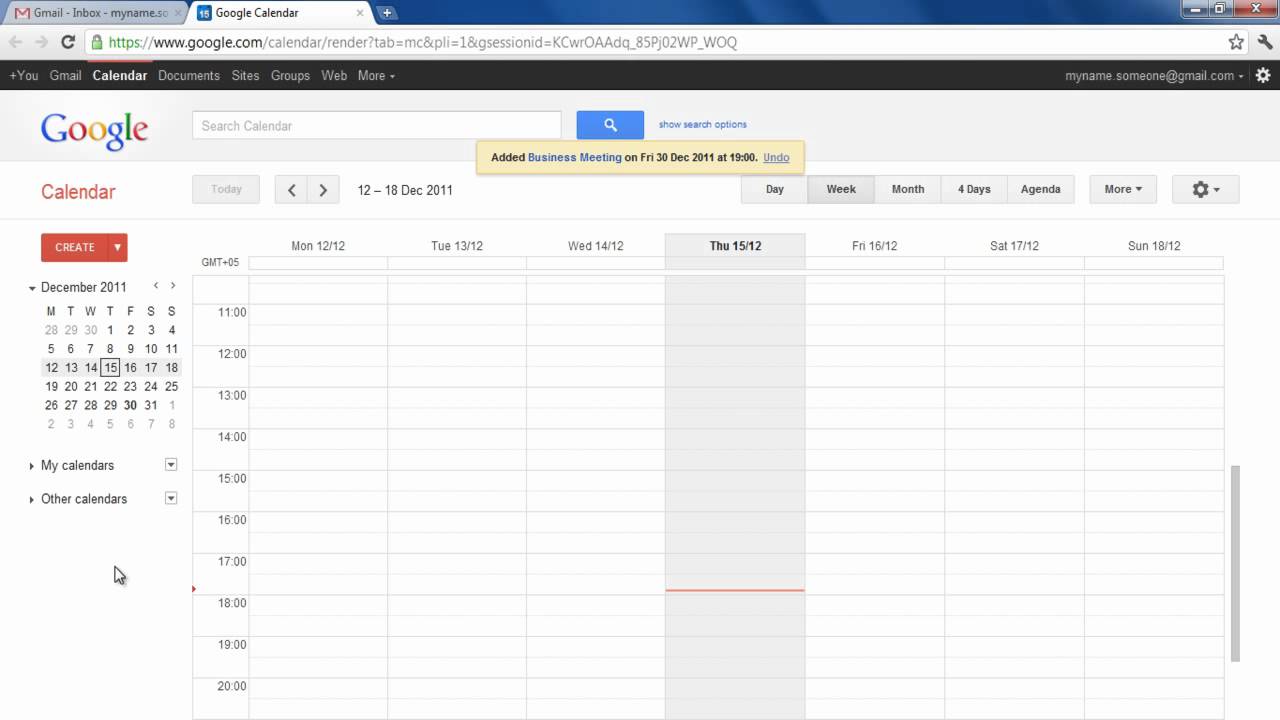
Google Calendar offers a plethora of advanced features beyond basic event scheduling. These features empower users to enhance their daily organization and streamline their workflow, making it a powerful tool for managing multiple commitments and tasks effectively. This section delves into the intricacies of utilizing these advanced functionalities.
Advanced Google Calendar Features
Google Calendar provides several advanced features to optimize daily scheduling. These include recurring events, color-coding, and the ability to create complex event sequences with sub-tasks, enabling a more granular and comprehensive scheduling experience. These advanced tools can be effectively utilized to tailor your calendar to your specific needs.
Sharing Options for Collaboration
Google Calendar’s sharing options are essential for collaborative scheduling. They enable seamless coordination among team members, family members, or colleagues, promoting efficient task distribution and resource allocation. The sharing features facilitate real-time visibility of schedules, ensuring everyone is aware of commitments and potential conflicts.
Examples of Sharing Your Schedule
Sharing your schedule can take several forms. For example, you can grant read-only access to colleagues for visibility into your availability. Alternatively, you might share your schedule with a spouse or roommate to synchronize appointments and activities. Moreover, you can create a shared calendar for a project team, allowing everyone to view and manage the team’s schedule collectively.
This collaborative approach can be extremely beneficial for managing shared resources or coordinating events.
Integrating with Other Applications
Google Calendar seamlessly integrates with numerous applications and services. This integration allows for a unified view of your schedule, encompassing meetings, tasks, and appointments across various platforms. By synchronizing your calendar with other apps, you can avoid the need to switch between multiple platforms, streamlining your workflow. For instance, connecting your calendar to project management tools ensures that deadlines and appointments are readily available within your project management environment.
Reminders and Notifications
Google Calendar’s reminders and notifications are indispensable tools for staying on top of your daily commitments. Setting reminders ensures you are promptly alerted about upcoming events or deadlines. Notifications can be customized to your preference, ensuring timely alerts without overwhelming you with unnecessary notifications. Using these features, you can avoid missing crucial appointments or deadlines.
Sharing Options Table
| Sharing Type | Description | Use Case |
|---|---|---|
| Read-only Access | Allows others to view your schedule but not modify it. | Sharing availability with colleagues, family members. |
| Read and Write Access | Allows others to view and modify your schedule. | Collaborating on shared project schedules, managing household calendars. |
| Shared Calendar | Creates a separate calendar shared among multiple users. | Managing team schedules, coordinating household activities. |
End of Discussion
In conclusion, this guide has provided a structured approach to creating and managing a daily schedule using Google Calendar. By implementing the techniques and strategies Artikeld, you can significantly improve your productivity, reduce stress, and achieve a better work-life balance. Remember that consistency and adaptation are key to maximizing the benefits of your personalized Google Calendar schedule.